Calculate tips for six common services with customizable amounts. Split bills among multiple people. Round tip or total to simplify payments. Adjust tip based on service quality. No advertisements.
A a log of all calculations. Displays input equations and results clearly. Includes backspace function. Allows adjustable keyboard size and number font size. Supports customization of decimal places, font size for , and display format.
Customize the 's appearance with color changes. Switch between basic and scientific modes with over 30 operations. View calculation history and equations. Perform calculations with precision up to 75 significant digits.
Calculate GST on sales or purchases by entering the transaction amount and GST rate. Perform basic mathematical operations. View calculated results instantly.
Offers basic and scientific functions for daily tasks and complex computations. It includes unit converters with 41 categories, allowing users to drag and sort units, switch base units, and perform accurate calculations.
Perform calculations with an intuitive interface. Input expressions directly, see the full equation, and edit it dynamically. Automatically recalculate results after changes. Access scientific functions like sine and cosine.
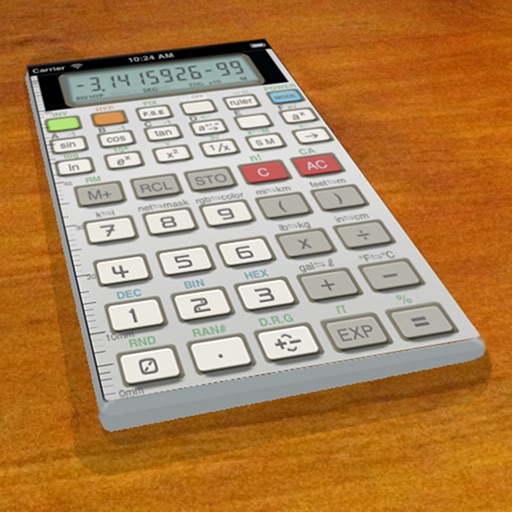
A vintage-style scientific calculator with a retro LCD display and realistic key sounds. Perform basic and advanced calculations, use shift functions, and access additional modern features like parentheses and memory storage.
Convert between pounds, kilograms, grams, and ounces. Input and select units for conversion. Share results via copy or email. Supports imperial and metric systems.
Calculate with formulas and swipe between calculators
A calculator displays formulas during calculations. Users can switch between seven calculators by swiping. Perform basic and advanced math operations. Store and reuse calculation history. Adjust display settings for different modes.
The app offers six calculator types including graphing, handwriting, and scientific functions. It displays equations and results simultaneously, supporting equation solving and graph plotting.
Solve math problems from elementary to college level. Perform algebra, calculus, and statistical calculations. Graph functions and equations. Export results and share solutions. Replace graphing calculators advanced computation tools.
Perform complex calculations with scientific, financial, and unit conversion tools. Access 10 financial worksheets for budgeting and planning. Switch between landscape and portrait modes. Save and export calculation results.
Perform calculations using basic and complex modes. Handle complex numbers with functions like square roots and exponents. Convert units between different systems. Store and recall previous results.
MyCalc offers basic and scientific calculation functions. Users can switch between portrait and landscape modes. It supports currency and unit conversions. Results, equations, and conversions can be copied, shared, or saved.
Using a smartphone camera. Place a on the camera lens and capture an image. The analyzes the image to determine the . Save and share measurement results.
Perform calculations with a freeform canvas and responsive results. Link numbers for instant updates. Calculate tips and discounts. View full history with clear formatting. Adjust settings for precision and layout.
Perform arithmetic and scientific calculations with dedicated calculators. Convert units between different measurement systems. Access multiple converters for currency, temperature, and more.
Is a that allows editing of mathematical expressions with instant results. It syncs calculation history across devices. Purchasing + adds unit conversion, history tools, fractions, and more.
Simulate calculations with a full-featured TI BAII Plus emulator. Perform time value of money, cash flow, and bond calculations. Store and retrieve data. Access formulas and functions. Export results and review history.