Perform basic statistical calculations, create and edit data lists, and generate summary . Calculate regression models and probability distributions. Unlock advanced features and larger list capacities via in- purchase.
Perform calculations with a live voice input feature. Use an ergonomic key layout with an extra large "+" key and backspace function. Copy and send results via email. Support Retina displays on all iPads and iPhones. Enable Dark Mode.
Perform calculations with basic arithmetic operations. Input numbers and equations for quick results. Use a interface with nostalgic design elements. Adjust display settings for different calculation modes.
Convert units across 16 categories with instant accuracy. Switch between hundreds of units for length, weight, temperature, and more. Calculate conversions for cooking, engineering, travel, and study.
Calculate with a dual-line display showing input and result simultaneously. Use percentage and backspace functions. Choose from 18 color themes. Enter multi-line equations. Automatically format scientific expressions. Access via Split View.
The app offers two modes: portrait for basic calculations and landscape for scientific functions. Users can track entries with multiple tapes and use memory slots for complex calculations.
Calculate financial metrics like income tax, sales tax, profit margin, and gross profit. Input values to determine discounts, CAGR, VAT, and cryptocurrency mining profit. Track costs, net income, and finance costs with -based calculations.
Calculate dosages and reconstitute peptides accurately
Calculate dosages and reconstitution volumes with precision. Input details and desired concentration. ccurate mixing instructions. Track injection schedules and dosing history. Export results for record-keeping.
Calculate areas, volumes, and estimates using both imperial and metric systems. Convert units with built-in converters. Customize themes to choose preferred colors. Perform basic math operations and track calculations for projects.
Recorder captures iPhone for tutorials, demos, or notes. Screenshot feature allows quick captures with editing and annotations. Share files via secure links or direct upload.
Allows users to perform calculations directly within compatible apps. Input equations using the . Dark Mode is supported. Full iPadOS compatibility is available. Customization options are provided.
Calculate tax amounts and total prices including tax for any rate. Apply discount percentages to reduce total amounts. View breakdowns of tax, discount, and final price. Share results via copy or email.
Calculate sales tax with a built-in calculator. Save item lists with tax amounts and totals. Perform reverse tax calculations. Sync with Apple Watch. View item details and totals in log mode.
Scientific calculator allows complex equation solving, graphing in portrait and landscape modes, and polynomial root finding up to 10th degree. Adjust font sizes and graph line widths. Solve systems of equations and matrices.
Calculate reconstitution volumes by selecting units, tick marks, and quantities. Input sterile or bacteriostatic water volume and desired amount. Choose instrument type for accurate results. Adjust settings for precise calculations.
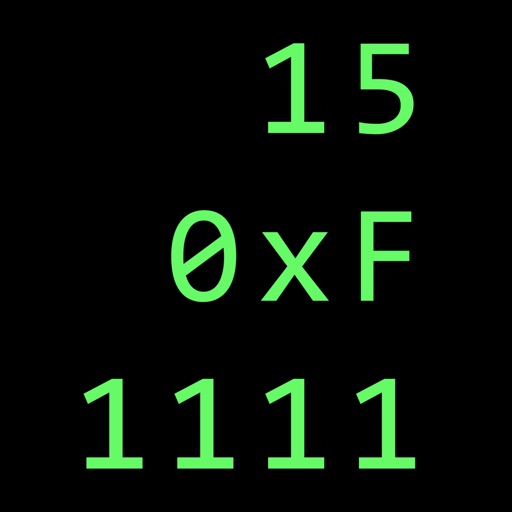
Calculate in binary, hex, and decimal simultaneously
Convert numbers between binary, hexadecimal, and decimal bases. Display all three bases simultaneously. Switch input modes and see results in all bases. Perform arithmetic, logic, and bitwise operations. Support unsigned and 2’s complement numbers.
Calculate electrical circuit values by entering two known variables (current, resistance, voltage, or power). Adjust units dynamically for accurate results. Display total resistance and power in the circuit.
Calculate and convert timecodes between different formats and frame rates. Display four user-definable units simultaneously. Perform film unit conversions and frame rate calculations.
Solve math problems with a interface. Enter equations directly and get instant results without pressing equals. Edit expressions, use parentheses, and view calculation history. Supports basic and advanced operations.
Perform basic and complex calculations with a minimalist interface. Large buttons and a display show current input and calculation history. Supports portrait and landscape orientation. Includes AI-powered problem-solving for advanced operations.