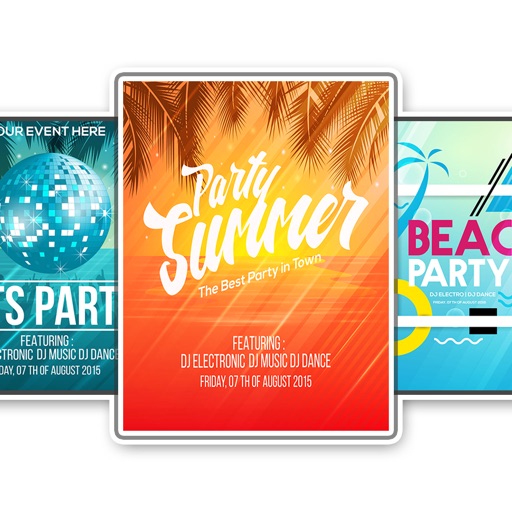
Create flyers, logos, and graphics with customizable templates and icons. Edit designs with professional tools. Upload or use images from a library. Export files for print or online publishing.
Track boxes, organize contents, manage move progress
Track boxes and their contents with detailed descriptions and attached photos. Search for items quickly during unpacking. Organize belongings and manage move-related tasks with customizable lists and notes.
Record audio with one-touch start and stop. Playback recordings in background. Pause and resume sessions. Save in compressed format. Set output settings. Export files for sharing or further use.
Dictate text with 99% accuracy without prior training. Edit and share documents directly. Record notes or reports of any length. Save and organize files within the . Export in multiple formats for different platforms.
The app provides real-time statistics for teams and players, displaying the line of scrimmage and first down marker. It allows users to undo or edit plays, assign events, and calculate time of possession.
Print documents and photos directly from an iOS device. Choose files from Dropbox or Google Drive. Customize with built-in tools. Support for 20+ file formats including PDF, DOCX, JPG, CSV, and TXT. Scan documents and photos for printing.
Manage two-factor authentication with time-based one-time passwords. Add accounts via QR code scanning. Sync tokens across devices using iCloud Keychain. View and export migration data. Support for Google Migration Export QR.
The app allows users to create custom NFT designs, flyers, invitations, logos, and more. It offers hundreds of templates, thousands of fonts, and editing tools for graphic creation.
Manage passwords and sensitive data with encrypted database storage. Import and organize credentials securely. across devices using iCloud, Dropbox, Google Drive, OneDrive, SFTP, or WebDAV. Backup and restore databases remotely.
Securely store and manage passwords using a master password. Support for Password Safe and KeePass formats. Enable Face ID or Touch ID for access. Share password vaults with family members. Sync across devices and back up data.
A that scrolls text as you read. Display scripts on iPad with Zoom in multitasking mode. Overlay text during video calls. Free for scripts up to 750 characters. Works on all iOS devices.
The app helps users focus on adding and completing tasks with a simple interface. It offers features like quick task completion, recurring task automation, and secure data storage with passcode or Face ID protection.
The app offers inline previews for Markdown, TaskPaper, and Fountain documents. It allows for extensibility through workflows and Python scripts, with features like Dropbox sync, a smart keyboard, snippets, an in-app browser, and document folding.
The app provides access to newly released music from upcoming artists and allows users to sync their own music from Dropbox or Google Drive. It features a built-in music player with playlists and supports Airplay.
The app allows users to create personalized notepads with various design styles. Users can attach photos, maps, and voice memos, organize notepads into categories, and protect their notes with passwords.
Transfer audio and video files from computers or cloud services like Google Drive and Dropbox. Create playlists and play media in the background. Access updated content automatically. Share files via social media platforms.
Upload documents directly from folders with single-tap access. Link and select folders once, then switch between them during scanning. Upload original files or compressed zip archives. Syncs with for seamless document management.