Create and edit images with basic drawing tools. Draw freehand or use shapes and lines. Add text and colors. Save and share drawings directly. Import and modify existing images.
by P98 LLC★ 3.9385 ratingsPhoto & VideoFreeData updated 2026-09-10
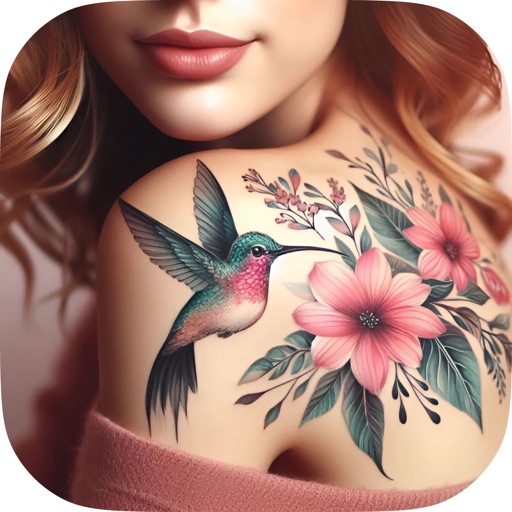
Create and customize designs with line art, tribal patterns, and full sleeve styles. Adjust colors, add text, and refine details. Save and share designs directly. Import and modify existing artwork.
The app transforms photos into bubble paint artwork using special algorithms. Users can explore over 100 creative combinations and generate animated GIFs from their bubble paint creations.
Edit photos with effects, spirals, art, and beauty filters. Add background arts and adjust brightness. Export edited images in various formats and share directly.
Edit photos with AI-powered enhancements and transformations. Add or replace objects using text prompts. Use AI Brush to paint areas and describe changes for realistic edits. Convert photos into digital art with detailed text inputs.
Edit photos by selecting specific objects or colors to emphasize, converting the rest to black and white. Adjust and save the edited image. Take photos with the camera or open existing files.
CAIO FARIA PEDROSO DESENVOLVIMENTO DE SOFTWARE LTDA
Edit photos with AI tools
Edit photos with AI-powered upscaling, background removal, and object erasure. Adjust colors, brightness, and contrast. Add text, stickers, and filters. Export in various formats and share directly.
Mount drawings with hundreds of realistic photo frames in various styles. Batch mount up to 20 drawings at once. Record and save drawing sessions. Share completed frames directly.
AI Extender allows users to images beyond original boundaries. Adjust proportions and enhance compositions. AI Image Enhancer improves clarity and sharpness. Add text overlays and apply filters. Export edited images in various formats.
The app holds a baby's interest and stimulates artistic creativity through automated drawing. Touching the screen makes designs appear, with brush shapes and colors changing automatically on each stroke.
The app allows users to draw geometric shapes using a compass and ruler. Users can draw lines or circles with a pencil or paintbrush, and save or print their creations.
The app offers basic drawing items, modification functions, and multi-layer support. Users can add images, save blocks to a template list, and customize the background.
Paint on spherical surfaces with customizable brush settings. Create symmetrical designs using mirroring tools. Save and export artwork in various image formats. Adjust colors and layer transparency for detailed artwork.