Create and edit images with basic drawing tools. Draw freehand or use shapes and lines. Add text and colors. Save and share drawings directly. Import and modify existing images.
by P98 LLC★ 3.9385 ratingsPhoto & VideoFreeData updated 2026-09-10
Edit images with brightness, contrast, and other adjustment tools. Import photos and place them in customizable Story templates. Create gradients and use the dropper tool to match colors. Share edited content directly to Instagram .
Auto-Trim Perfection - Automatically selects and stitches the moments from videos. Frame Your Moments in Style - Apply templates to enhance clips. Edit and export videos directly from the .
Remove backgrounds from images using AI-powered erasing. Cut out objects with precision and create transparent backgrounds. Save as PNG or edit layers for detailed adjustments. Share edited images directly.
The app allows users to create unique stickers from photos, drawings, and text. Users can share personalized stickers, emojis, and memes on various messaging platforms.
Reduce photo file size while maintaining quality. Resize images to fit specific dimensions. pictures for email, social media, or upload. Save storage space by optimizing image formats. Share compressed directly from the .
Create custom emojis using facial expressions. Capture and edit images to generate stickers. Add filters and borders for enhanced visuals. Share emojis via iMessage and social media. Upgrade to Pro for advanced editing features.
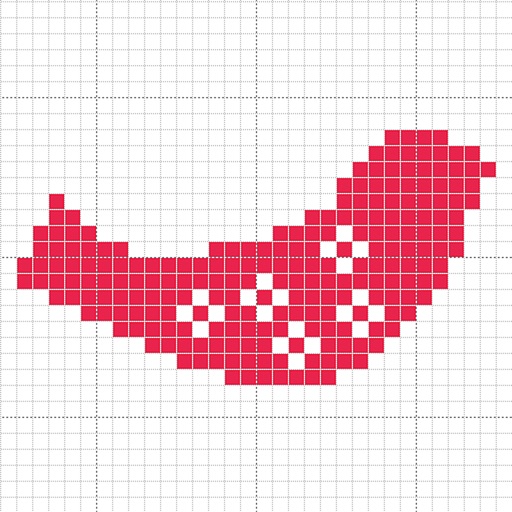
Create custom charts for crafts like cross stitch, bead weaving, knitting, and pixel art. Draw dotted images and design patterns with an intuitive touch interface. Export charts for use in projects.
Stylize photos using over 500 AI art styles from various movements. Edit and retouch images with professional tools. Work offline with on-device AI models. Keep data private with no cloud storage. Export edited images in multiple formats.
Create collages by selecting multiple photos and arranging them in various layouts. Apply mosaic effects to individual photos for artistic results. Edit images with basic tools and save or share the final output.
Edit photos by drawing on them with adjustable brush sizes and color choices. Use an erase tool and undo/redo functions for precision. Save edited images for later changes or share them directly on social networks.
Generate cohesive designs from text prompts, including key visuals, banners, and cover art. Maintain consistent style across outputs. Combine image, video, and 3D tools in one platform. Export files for various uses.
Generate images from text or existing images using AI. Edit and refine generated images. Save and share outputs without login or payment requirements. No usage limits or subscription needed.
Create art by coloring numbers on various pages. Select colors for each to fill in images. Choose from categories like people, animals, and cartoons. Save and share completed artwork.
Digital with customizable backgrounds. Add text with adjustable fonts, colors, and borders. Draw on photos or include images that can be moved, rotated, and scaled. Save and share finished designs through social media apps.
Create drawings step by step using pre-designed templates on various themes. Select and customize colors, add text, and save or share completed artwork. Access tutorials and instructional guides to drawing techniques.
Convert photos into comic styles using AI algorithms. Edit avatars with retouching tools. Access various comic templates. Apply filters and adjust images for effects. Share edited images directly.