Create photos without cropping. Edit images with filters, backgrounds, and layout adjustments. Make photo collages using hundreds of layouts. Share high-quality photos to social media platforms. Adjust ratios and add text for customization.
by 睿 刘★ 4.6604 ratingsPhoto & VideoFreeData updated 2026-09-10
The app allows users to combine photos and music to create slideshow videos. Users can choose and arrange photos, edit them, add transitions, select music, and then save or share the video.
Create collages by combining multiple photos into one with customizable layouts. Apply one-touch filters for instant effects. Add text, letters, and stickers to photos. Export and share finished collages directly.
Create videos by merging Live Photos, stills, and videos. Add titles, music, and customize pre-made "On This Day" projects. Automatically import Live Photos and panoramas. Share in five aspect ratios. View suggested projects based on recent photos.
Edit photos with , cropping, and brightness adjustments. Add text, stickers, and borders. Export in various formats and share directly. Apply exclusive and enhance images with advanced tools.
Create collages by combining photos into -shaped frames. Apply filters and adjust colors. Share collages directly or save in various formats. Organize memories in a single album.
Create double exposure effects by blending two images. Adjust opacity and alignment for custom overlays. Save and share edited photos directly. Access advanced editing tools with a premium subscription.
Post full-size photos to Instagram without cropping. Adjust orientation, scale, and flip images. Apply filters, add borders, frames, stickers, and text. Customize backgrounds with blur, shapes, and shadows.
Split videos into customizable 15-second clips. Save high-quality clips to the photo library. Choose from predefined durations or set custom lengths. Share clips directly to social media platforms.
Apply blur to portraits for a blurred effect. Adjust blur intensity and tweak brightness, temperature, tint, and saturation. Use live filters during editing. Export edited photos directly.
Edit photos with single-tap effects and professional filters. Adjust brightness and contrast. Apply blur and focus tools. Enhance portraits with specialized filters. Export edited images in various formats.
Create slideshows with photo filters, transitions, and background music. Add text overlays and select from various templates. Export to Instagram, Facebook, YouTube, or email. Share directly or save as video files.
Edit photos with PIP frames, collages, and creative layouts. Add crystal bottle patterns and cartoon styles. Share edited photos directly to social media. Adjust brightness, contrast, and colors. Crop and rotate images.
Take photos with real-time beauty filters and effects. Apply makeup and adjust skin tone instantly. Use photo filters to enhance images. Create collages by combining multiple photos. Edit with blur, whiten, and other tools.
Create reflection for photos with left-right, up-down, and repeating options. Apply cool filters and artistic frames. Edit images to generate twins and typography .
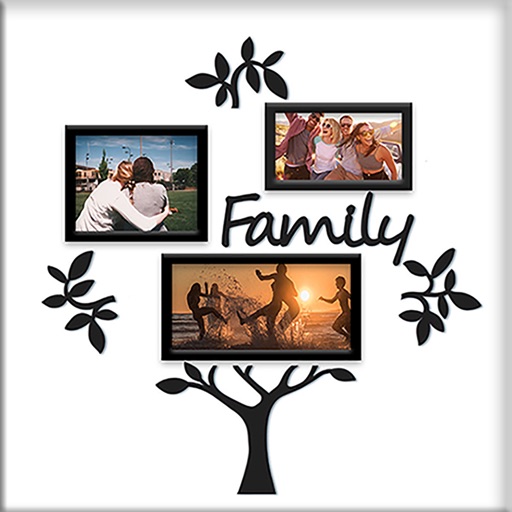
Create collages using 100+ 2D/3D frames. Add images from gallery or camera. Adjust opacity and rotate photos. Include text with custom fonts and colors. Apply effects to enhance visuals. Export and share finished collages.