Manage up to 6 timers simultaneously for cooking, studying, or workouts. Use timer, alarm, or stopwatch modes. View current time in large format. Receive notifications when set times are reached. Features animated visuals to enhance waiting periods.
by Kenji Onishi★ 4.824 ratingsUtilitiesFreeData updated 2026-09-10
View current speed with a scalable . Track total distance and trip data including max and average speed. Export trip data as GPX, CSV, or KML files. Receive alerts when speed exceeds or falls below set limits.
Manage penalty times for roller derby with customizable configurations for two blockers and two jammers. Track penalties according to WFTDA rules. Log and display penalty durations. Switch between jammer and blocker modes.
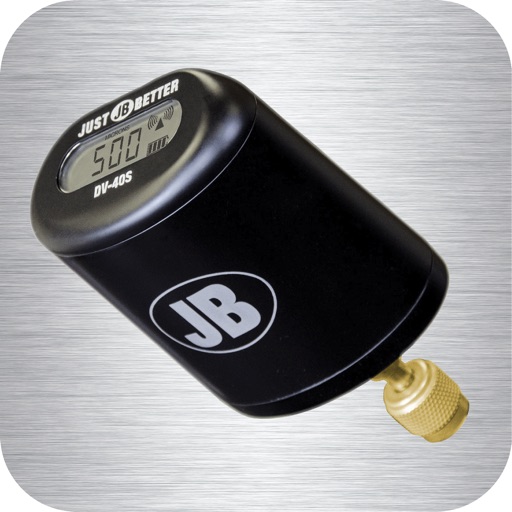
Monitor vacuum pressure with real-time measurements and unit selection. Set alarms and customize themes. Track job time with timers. Log data and export logs via email.
Track time with multiple stopwatches for simultaneous timing. Start, stop, and reset individual timers. View elapsed time and lap times. Share results via email or social media. Sync across devices for consistent timing.
Track time with 4 independent stopwatches and 4 timers. Start, pause, and resume each timer separately. Record lap times for each stopwatch. Switch between timers and view elapsed time in real-time.
Track workouts with AMRAP, EMOM, For Time, Tabata, and custom intervals. Set countdown or count-up timers. Display duration and remaining time. Add round counts and customize settings. Export data and sync with fitness apps.
Manage timing with one-button start. Set unlimited acts and intervals in custom configurations. Track elapsed time and remaining duration for each segment. Receive alerts for transitions and end times. Sync timing data across devices.
The app provides acoustical analysis for iOS devices. It offers octave and 1/3 octave modes with selectable decay times, Peak Hold, and true linear Average mode.
Set alarms with customizable sounds and settings. Edit, delete, and rearrange alarm entries. Adjust list test in three steps. Access tutorial reviews and use 3D touch for quick navigation. Track exercise, cooking, and sleep schedules.
Millisecond Timer offers countdown, stopwatch, and clock functions with millisecond precision. Users can start, stop, and reset timers. Set countdown durations and view elapsed time in milliseconds. Sync time display with device clock.
Record splits by tapping the screen. Tag athletes with specific times. Track multiple sessions simultaneously. Capture photos during sessions. Upload, view, and edit results in the iOS . Customizable and free to use.
Desktop displays time with a style and retro interface. Set focus mode to minimize distractions. Use countdown timer for tasks like cooking or workouts. Adjust settings for time zones and alarms.