

Apps Like Trapezoid - Pocket Dulcimer for iPhone and iPad
Trapezoid - Pocket Dulcimer screenshots
Ranked alternatives
Showing 101–120 of 1,000 ranked alternatives.

Audio Evolution Mobile Studio
Davy Wentzler
Record and MIDI tracks
Record and MIDI tracks for music production. Edit vocals for pitch and timing. Use virtual instruments and effects. Create drum patterns with custom samples. Mix and automate tracks with unlimited undo/redo.

AutoArp
Drew Milloy
Strum chords and create arpeggios
Turn your iPhone or iPod Touch into a musical instrument. Select chords and strum strings with fingers to create arpeggiated sounds. Edit and share songs, use MIDI support, and transpose notes with in- purchase.

Jazz Drummer
Lumbeat Ltd.
Play drums with three styles
Drums lets users select from three drummers with distinct styles. Adjust jam level and intensity using a 2D slider. Save mixer and effects settings for each sound bank. Toggle ride/hats and cross stick/snare options.
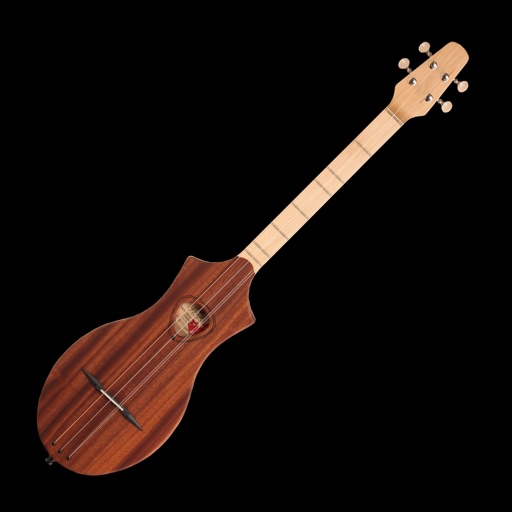
Dulcimer Tuner Simple
Pavel Nikitenko
Tune strings with precision
Tune strings by selecting notes and adjusting tuning pegs. Provides visual feedback for accurate pitch. Guides users through standard DAA tuning for beginners. Supports finger placement practice for improved playing.


Pitch Analyzer
Supertintin Co., Ltd
Sound analysis for music practice.
The app analyzes sound input from a microphone. It detects frequency, note name, MIDI number, and cent tolerance for users.

iFretless Bass
Blue Mangoo Consulting Company Limited
Expressive fretless bass virtual instrument
The app offers a virtual fretless bass instrument with a piano-like note layout. It provides 13 sampled bass sounds and supports MIDI input/output, Audio Unit 3, and Audiobus.

touchscaper
Rob Jackson
Touch and create music with your fingers
Create music by touching the screen to play notes and adjust sounds. Use multi-touch surfaces like radar, ribbon, or keyboard. Move fingers to modify tones. The semi-generative engine selects suitable notes automatically.
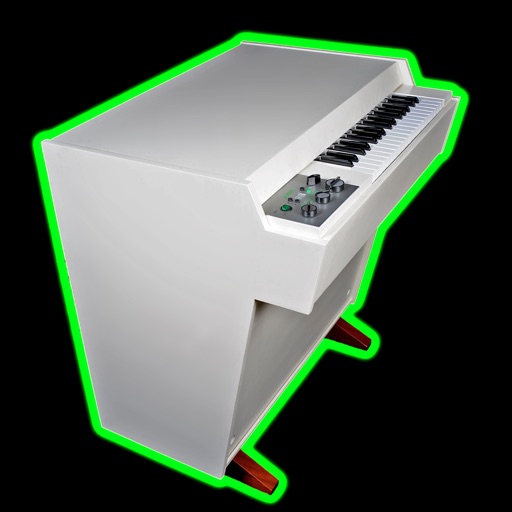
Mellotronics Streetlytron Pro
Phil Atkin
Stream tapes and play melodies
Create and manipulate music using virtual tape loops. Load and play 90 preloaded tapes, including 65 from Streetly's Production Masters. Adjust pitch, tempo, and effects. Export audio files and share directly.

NS MIDI Player
Nitin Seshadri
Play files and use custom SoundFonts
Play standard files with .mid, ., and .kar extensions. Support GM and GS standards with default SoundFont. Use custom SoundFonts in .sf2 or .dls format. View time-synced lyrics. Connect to outputs via Core . Export as audio.


Ruismaker Noir
Bram Bos
Sequence rhythms and bass with step sequencer
Create rhythmic patterns with a step sequencer. Generate synthesized drums and bass sounds. Adjust pitch and velocity modulation. Blend multiple sounds into cohesive sequences. Export and share compositions.
NoteWorks
Azati Corporation
Musical game for note recognition skills.
The app teaches note recognition and sight-reading skills through a musical game. It features an animated character and adjustable difficulty for players of all ages and skill levels.


SAND: Sequencer for AUv3, MIDI
Matteo Caldari
Arrange clips and trigger sounds
Create music using a grid-based with clip arrangement. Manipulate clips through copy, duplicate, merge, combine, and drag-and-drop actions. Access quantize and clip length tools. Connect to plugins and external devices for sound generation.

Chord
Roman Sevastyanov
Create progressions and send MIDI data
Create and edit progressions with inversions, sus2, sus4, 7th, and 9th chords. Play chords as piano or synth or send MIDI to macOS. Use phone as MIDI keyboard for macOS. Practice reading musical notation.
How we rank alternatives
Apps are ranked by functional similarity, category fit, rating confidence, and popularity.