Passport Id Photos
Raffaele Di Marzo
Create from your device
Create directly from your device. Select from common photo formats like 4.5x3.5 cm and 2x2 inch. Customize ID dimensions. Save, print, or share for documents and passports.

Showing 141–160 of 1,000 ranked alternatives.
Raffaele Di Marzo
Create from your device
Create directly from your device. Select from common photo formats like 4.5x3.5 cm and 2x2 inch. Customize ID dimensions. Save, print, or share for documents and passports.

Vitaliy Odarchenko
Capture photos in one click with HDR
Edit photos with customizable HDR settings including effects, brightness, contrast, temperature, and hue/saturation. Capture high-resolution HDR photos in one click. View and manage HDR images in a dedicated gallery.

YOOSHR LTD
Create animated GIFs from photos
Create animated GIFs and stop motion videos with real-time rendering. Add, remove, and reorder frames during editing. Adjust speed, duration, and play mode. Add music and apply filters. Export and share finished projects.


晓东 王
Edit curves, adjust exposure, capture photos
Edit photos with 28 customizable curves, manual camera controls, HDR, layers, channels, and masks. Adjust opacity, apply presets, blend modes, and crop or add vignettes. Share edited images directly.


Vitaliy Odarchenko

VATARAS OU
Edit photos, crop images, and design graphics
Edit photos with cropping, resizing, and removal tools. Apply filters, adjust colors, and add text overlays. Export images in various formats and share directly to social media or online stores.

Joao Victor Flores da Costa
Edit photos and add stickers
Edit photos with filters, contrast, brightness, and color adjustments. Add text, stickers, and drawing tools. Customize images and landscapes. Export in high quality. Access a free image library. Apply advanced editing features.

Pankaj Kumar
Create collages from photos
Create collages by combining photos into -shaped frames. Apply filters and adjust colors. Share collages directly or save in various formats. Organize memories in a single album.
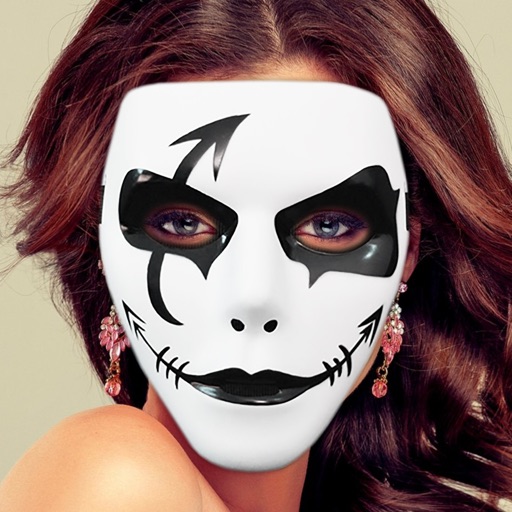
Vitaliy Odarchenko
Apply masks to photos and videos
Take photos or select from gallery. Apply masks to transform appearance. Add stickers for fun. Share edited photos on social media platforms.

My Learning Apps Ltd
Fry video frames and upload to TikTok
Fry the last frame of videos to upload to TikTok. Edit memes by frying images or GIFs from the photo library or Gfycat. Share finished memes to camera roll or via iMessage as stickers. Open created memes in TikTok and Snapchat.

VIDEO EDITOR PTE. LTD.
Create notable framed and shaped pics.
The app allows users to add typography, filters, frames, shapes, and stickers to photos. It includes tools to adjust sharpness, brightness, saturation, contrast, RGB, hue, and exposure.

vijay kachhadiya
Edit photos, add effects, and draw
Edit photos with filters, cropping, and brightness adjustments. Add text, stickers, and drawings. Remove blemishes and whiten smiles. Create collages with multiple layout options. Export in various formats and share directly.

Appextreme, Inc.
Edit photos in and style
Edit photos to convert them into and with adjustable contrast, brightness, and grain. Apply filters and vintage effects. Crop, rotate, and add text overlays. Save and share edited images in various formats.

Hitesh Ramoliya
Edit crop and enhance photos easily.
The app offers photo editing tools including cropping and enhancement. Users can apply effects, overlays, and frames to photos from their camera or gallery.

Avanquest North America
Edit photos and videos with AI effects
Edit photos by removing backgrounds with AI and replacing them with 250+ options. Apply 300+ ready-to-use templates. Add effects and adjust colors. Save and share edited images directly.

Oliver Rice
Edit photos and apply stylish filters
Edit photos with filters, cropping, and brightness adjustments. Add text and stickers. Export in multiple formats and share directly. Apply stylish free and premium filters for social media use.
Apps are ranked by functional similarity, category fit, rating confidence, and popularity.