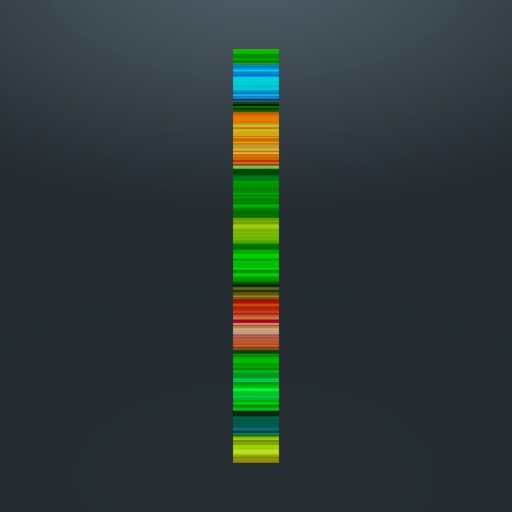
Create -scan photos by capturing motion with a moving mode or still mode. Record at 240 FPS for 1920x1080 resolution. Use a 5-second timer for self-portraits. Share generated images directly with friends. Requires a stand or tripod for stability.
by Denis Frolov★ 4.366 ratingsPhoto & VideoFreeData updated 2026-09-10
Scan ™ by holding the smartphone over the print in "Scan" mode to save them digitally. Store and organize scanned images in a digital collection. Share directly from the .
Edit photos and videos to create oil paintings using 29 presets and 12 professional tools. Adjust brush strokes and colors manually. Apply AI-generated oil with machine learning enhancements. Export edited content in various formats.
Compress and edit videos with batch processing, trimming, cropping, splitting, merging, and rotating. Choose H.264 or HEVC codecs with resolution options. Adjust frame rates for 240 FPS videos. Save space with efficient compression.
Create videos using pre-designed templates and custom editing tools. Add text, music, and transitions. Export in various formats and share directly. Import photos and videos from device storage. Adjust timing and effects for professional results.
Add accurate date, time, and GPS watermark to photos and videos. Sync with network time for real-time stamps. Edit watermarks manually. Share files with location data preserved.
Capture low-light and night photos and videos with enhanced clarity and brightness. Record 4K time lapses and use Astronomy modes to capture stars and Northern Lights. Enable long exposure for detailed night scenes.
Scan film negatives using AI to reveal hidden images. Automatically capture and process negatives with a backlight source. Adjust exposure and color balance. Export scanned images in high resolution. Share directly or save to cloud storage.
Create text designs with advanced typography tools. Choose fonts, adjust spacing, and align text for balanced layouts. Export as images or share directly. No design skills required.
Record in HD up to 1080p at 60 fps. Add facecam and audio for enhanced recordings. Save and share videos directly. Adjust settings for recording duration and file format.
Create -based stories with customizable characters and dialogue. Export as videos with -to-speech voiceovers using high-quality AI voices. Write group chat stories and produce visually appealing chat content.
Watch 3D and VR videos in spherical or cardboard modes. Support 120 FPS playback. Autoplay videos continuously without removing headset. Shuffle video order. Play audio in background mode. Includes roller coaster, horror, and travel categories.
Create animated live photos and moving backgrounds with motion effects. Add animations to static images. Edit videos with transition effects and background motion. Share finished animations directly from the .
Create intros, inserts, and film credits for videos. Use 49 customizable HD templates. Save intros to Camera Roll. Add professional-quality openings to movies. Edit and export directly from iPad or iPhone.
Create portraits with vintage photographic effects. Apply four styles including B&W, color, high contrast, and sepia. Adjust eye intensity, grain, and depth-of-field. Supports portrait mode for enhanced background blur.
Create flipbook animations with frame-by-frame drawing. Use pressure-sensitive pen and eraser tools for artistic effects. Edit with undo/redo features. Add predefined animations and effects. Export and share finished projects.
The app records video as a cube of width, height, and time. It offers two shooting methods: Movie, where the cut changes frame by frame, and Still, which builds a picture from stacked bands representing the flow of time.
Capture photos and videos using voice commands. Take a photo, start or stop video recording, reverse the , and enable or disable the flash. Voice recognition works offline on iOS 13 and higher. Configure custom phrases for commands.