Control CODE Series amplifier settings via Bluetooth LE. Save and access presets on any device through the Cloud. Share presets with others or publish to the CODE community. Search and play online presets directly within the .
by Marshall Amplification plc★ 3.733 ratingsMusicFreeData updated 2026-09-10
Control audio output with equalizer presets for customized sound settings. Add sound effects or personal audio via the sound pad. Use the water eject tool to remove water from speakers or AirPods.
Access curated -Sync® tracks and six Gateway Experience® exercises. Create custom mixes using the mixer. Subscribe for monthly access to over 300 titles. Enjoy free DailySync content. Listen and manage playlists directly on the device.
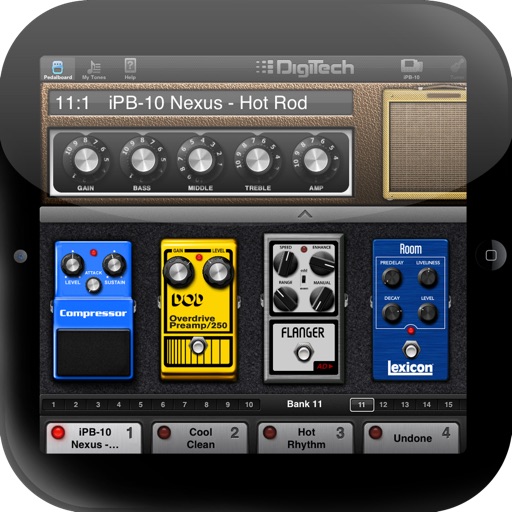
Control effects and presets via iPad interface. Adjust pedalboard settings and program changes. Save and recall custom setups. Sync with -10 hardware for real-time performance. Manage effects chains and routing options.
Allows users to create and manipulate analog-style sounds. It features monophonic and paraphonic modes with four oscillator sections. Each oscillator includes wave shape morphing and harmonic content control.
MIDI/MPE controller for Studio on MacOS. Map controller inputs to parameters. Adjust modulation, velocity, and pressure sensitivity. Customize layouts and save presets. Connect via USB and support multiple devices.
Record and edit audio tracks with multi-touch controls. Mix and arrange audio files using a virtual mixer. Save and share projects directly. Access advanced features with compatible hardware.
Control radio receivers via Bluetooth for power on/off, volume adjustment, mode switching between radio, USB, Bluetooth, AUX, and disc. Navigate presets 1-6, seek up/down, play/pause, stop, mute, and select FM/AM bands.
Tmospheric melodic sounds with customizable timbres and billions of unique presets. Adjust individual sample volumes via top panel or MIDI. Use a classic keyboard interface to play and manipulate sounds.
Boost device beyond system limits. Increase music output for headphones or speakers. Adjust sound levels to enhance audio clarity. Enable playback for calls and media. Control settings directly within the .
Play with a graphic equalizer, network streaming, and cloud access. Apply sound effects like Crystalizer and AM3D Audio Enhancer. Use visualization plugins for audio effects. Stream and manage files directly.
Create and customize sounds using a wavetable synth with an intuitive interface. Access 300 factory presets. Adjust waveforms, modulation, and effects. Save and recall custom patches. Limit to 8 voice polyphony.
The app emulates vintage 80's hardware drum machines with a realistic interface. Users can play included rhythm presets or create their own patterns, with control over drum kit parameters and song mode.
Ukuleles in various modes including soprano in C, concert, and tenor. Automatically detect and adjust string pitches. Display tuning notes and chord diagrams. Save custom tunings and switch between presets.
Learn piano by playing virtual keys. Adjust keyboard layout to suit preferences. Access various instruments including bass and guitar. Record songs and share them with others.
Adjust audio with a 6-band equalizer or presets. Import videos and export in original size, smaller size for sharing, or extract audio. No quality loss during audio adjustments.
By slowing down without pitch change. Loop sections for focused . Isolate vocals, drums, and instruments using AI. Record own . Control playback with Bluetooth foot pedal. Import songs or use Apple . Adjust speed, pitch, and BPM during .