Solve equations and inequalities with advanced graphing. Trace functions and analyze intersections. Perform calculations, store variables, and use built-in math functions. Access a scientific calculator and explore interactive math concepts.
by MORAVIA Consulting, spol. s r.o.★ 3.281 ratingsEducation$24.99Data updated 2026-09-23
Enter and edit equations in mathematical notation. Visualize 2D and 3D graphs of explicit, implicit, and inequality equations. Adjust settings for display and analysis. Save and share calculations.
Calculate with a dual-line display showing input and result simultaneously. Use percentage and backspace functions. Switch between 18 color themes. Enter multi-line equations. Automatically format scientific expressions.
Ask questions about and science problems. Receive step-by-step explanations. Track progress over time. Set study goals and receive feedback. Sync with learning platforms for assignments.
Solve problems with step-by-step explanations. Generate 2-D and 3-D visualizations. Perform algebra, calculus, and integration calculations. Take a picture of equations for input. Export solutions and graphs.
Capture problems with the camera for instant step-by-step solutions. Solve algebraic expressions, equations, functions, and sequences. View detailed explanations and practice similar problems.
Solve math problems step by step with detailed explanations. Access subject-specific tutorials for calculus, physics, and chemistry. Track progress with personalized plans. Receive instant feedback on quizzes and assignments.
Graph equations and calculate advanced math functions
Graph functions with support for multiple equations and color differentiation. Plot up to ten functions simultaneously. Use touch gestures to zoom and trace graphs. Perform calculations using natural textbook notation and advanced math commands.
The app offers six calculator types including graphing, handwriting, and scientific functions. It displays equations and results simultaneously, supporting equation solving and graph plotting.
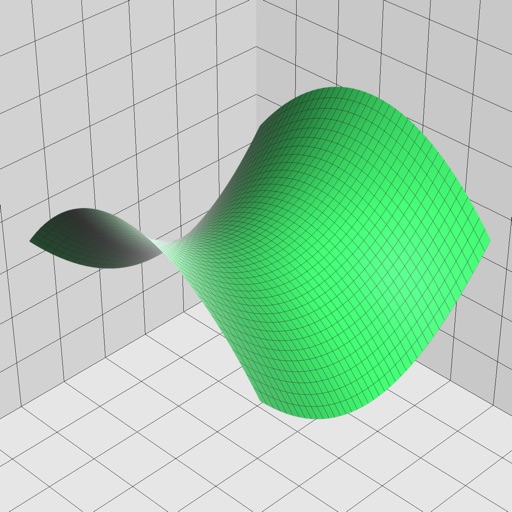
Solve mathematical equations and visualize results in 2D and 3D. Plot cartesian, polar, spherical, and parametric functions. Animate equations and vector fields. Find intersections of functions. Support for complex functions.
Solve problems by snapping photos. Receive step-by-step explanations and multiple solving methods. Access interactive graphs and a scientific calculator. View how-to animations for each solution.
Solve math problems with natural textbook input and fraction support. Trace graphs with touch. Zoom using pinch gestures. Tap for regression analysis. Swipe to scroll through calculation history and matrices. Access help via the ? key.
Offers scientific and standard modes for math tasks. Users can customize colors and themes. It provides real-time calculation results and supports basic and advanced operations.
Plus allows users to perform basic math operations including addition, subtraction, division, multiplication, squaring, and square root. It features large buttons, clear numerals, and horizontal mode for additional controls.
Graph functions, equations, and curves in 2D and 3D. Calculate derivatives, integrals, and roots. Create tables of values and solve equations. Construct and analyze polygons, circles, and conics. Use Augmented Reality to explore 3D objects.
Solve high school math problems step-by-step. Find limits, graph functions, and solve polynomial equations. Handle trigonometric equations, systems of equations with up to 5 variables, and inequalities. Calculate derivatives and integrals.
With personalized AI tutoring in math, physics, chemistry, and other subjects. Get step-by-step explanations tailored to your level. Use for targeted test practice, Solver Mode for homework help, and Socratic Mode for in-depth learning.
Perform complex calculations with 10 financial worksheets and 10 calculators. Switch between landscape and portrait modes. View results in decimal, fraction, or percentage formats. Save and recall previous calculations. Export data as text or PDF.