Select photos and adjust layout, size, and position. Apply filters, rotate, flip, and modify brightness, saturation, and contrast. Add borders with customizable size and color. Share edited photos directly to Instagram, LINE, Twitter, and Facebook.
by Ode Tomoyasu★ 4.536 ratingsPhoto & VideoFreeData updated 2026-09-10
Create social posts with templates and editing tools for Instagram, Facebook, LinkedIn, Twitter, and TikTok. square or story-sized content, add text and graphics, and export directly to platforms. No skills required.
Edit photos and videos with one-tap filters or manual sliders for exposure, saturation, and color balance. Swipe up to access advanced adjustments. Export edited media in various formats and share directly.
The app offers numerous standard layouts and artistic filters, including B&W and vintage effects. Users can adjust exposure, contrast, saturation, and white balance for their photos.
Edit photos with texture overlays and film effects. Add retro vibes, glitches, and grain. Adjust brightness and contrast. Export and share edited images directly.
View real-time social media feeds from Twitter, Facebook, and Instagram. Access live scores, game stats, and play-by-play updates. Follow team and fan activity directly from the .
Add to images with various design options. Edit and enhance photos with built-in filters. Share edited photos directly to social media or messaging apps. Save and organize framed photos in a gallery.
The app supports fifth-grade math learning by allowing children to manipulate shapes like parallelograms and triangles on an iPad. Students can explore area calculations and explain concepts to peers or the class.
The app supports fifth-grade math learning by allowing children to manipulate shapes like trapezoids and rhombuses on an iPad. They can explore methods for calculating area and explain their reasoning to others.
Create style text with customizable fonts and layouts. Share generated text to LINE, Facebook, Twitter, and Camera Roll. Adjust text size and spacing for different formats.
Create art frames by combining images and adjusting positions with zoom, rotate, and move tools. Add 100 stickers and custom text. Choose from four output resolutions. Share images via Facebook, Twitter, Instagram, or email.
Edit photos with AI filters, portrait generation, and stylized effects. Adjust brightness, contrast, and saturation. Apply cinematic filters and retouch skin tones. Save and share edited images directly.
Edit photos with filters, retro color grading, and AI-generated 90s-style portraits. Adjust lighting, contrast, and effects. Generate photos in different scenarios. Share edited images directly.
Take photos or select from the photo library. Add stickers, overlays, and custom filters. Include location and timestamp on photos. Share photos via Facebook, Instagram, and other platforms.
Capture photos with customizable cup . Add text, stickers, and filters. Share edited photos directly with friends and family. Save and view moments from house visits.
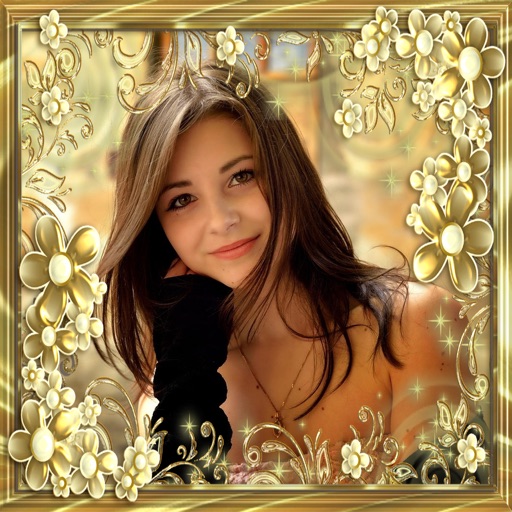
Add flower and borders to photos. Edit images with cropping and brightness adjustments. Share edited photos with friends and family. Save and view edited images in the .
Edit photos using like Linear, Vignette, and Sepia. Adjust brightness, contrast, and color with tone curve tools. Apply blur, focus, and rotation. Add stickers, text, and emoticons. Crop and resize images.
Set photos as wallpaper with adjustable size and customizable background color. Choose from personal photos or limited edition . Adjust wallpaper settings to fit device model.