Create 3D structures by applying to draw circles that expand with force. Use 3D Touch to generate random color profiles and explore sensitivity. View dynamic color changes and interactive drawing effects.
by Ben Slaney★ 4.820 ratingsEntertainmentFreeData updated 2026-09-10
Visualize music, interact with art, play creatively
Create dynamic visual displays with kinetic animations and interactive elements. Explore themes like fireworks, auroras, and atomic symbols. Adjust colors, speeds, and patterns. Share visuals on social media.
Track readings and view a history of measurements. Use breathing exercises to relax. Play Snake and use a drawing tool for entertainment. Share the and contact the developer for support.
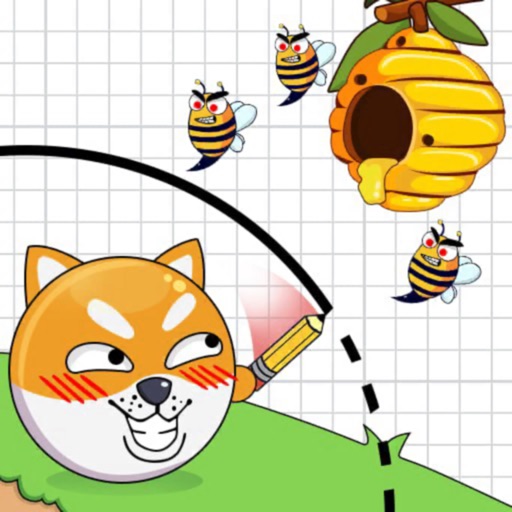
Draw lines to create barriers protecting a dog from bees, bombs, lava, and spikes. Navigate levels to the dog. Use drawing tools to block hazards and progress through challenges.
Measure real-world objects using AR technology and a phone's camera. Calculate length, height, area, volume, and angles. Estimate distances and track measurements with a digital . Share results and save measurements for future reference.
Use iPad with Apple Pencil as a liquid crystal . Draw in PC programs like Photoshop and Clip Studio. Supports wired and wireless connections. Offers high-performance drawing experience without additional hardware.
Create 3D drawings using finger gestures without glasses. Design custom 3D brushes. Choose from 8 background patterns or generate them from photos. Adjust brush settings based on pressure for 3D Touch devices.
Create bridges between circles to fill them. Solve puzzles by connecting circles with the correct number of bridges. Complete all circles to win each level. Features include 700+ levels, beautiful visuals, and updated puzzle rules.
Color pictures with realistic brush strokes and save creations. Access a variety of pre-drawn images to color. Draw freely on blank pages with zoom functionality. Watch video replays of drawing sessions.
Draw and share illustrations with real-time collaboration tools. Access a community with millions of user-generated artworks. Use advanced drawing features for precise line work and color blending.
This game challenges users to remove their fingers from circles before a blade drops. Multiple fingers can be used to fill all circles, presenting a greater challenge.
-based game where players tap the screen to follow a beat. Features two modes: parkour mode requires avoiding obstacles, while mode involves generating and avoiding balls. Difficulty increases as the game progresses.
Play Cat by matching three identical tiles to clear the board. Complete 45 levels with beautiful 3D graphics and accurate touch controls. Adjust tile matches and progress through challenges.
Use camera to draw and paint in augmented reality. Access tracing templates for animals, cars, nature, food, anime, and more. Adjust brush size and color. Save and share artwork directly.
Draw on OpenStreetMap maps to create notes, diagrams, and annotations. Add lines, text, symbols, and illustrations. Scroll, zoom, and use multi-touch during drawing. Save and share your sketches directly.