Secure photo and video storage with password protection, including gesture lock, fingerprint lock, and dual password options. Organize media into custom groups with batch import/export.
by 帆 张★ 4.856 ratingsPhoto & VideoFreeData updated 2026-09-10
Access camera feeds using login and password from account. View live and recorded footage from cameras in common areas, entrances, and surrounding zones. Monitor multiple locations and retrieve video clips for review.
Access user resources and view -specific information. Log in with username and password. Retrieve flight data, check schedules, and manage personal documents. Navigate through organized sections for quick access to operational materials.
Manage quotes, clients, invoices, and notifications
Manage quotes with filtering and status tracking. View and search invoices and payment status. Maintain customer lists with search capabilities. Log in with fingerprint or gesture password. Receive push notifications for updates.
Store and organize important documents securely. Scan or upload files directly from your device. Create custom categories for easy access. Encrypt and password-protect sensitive information. Share documents via email or messaging.
The app scans for nearby configurable Radius Networks beacons. Users can display and modify beacon operating settings, update PINs, reset to factory settings, or lock settings.
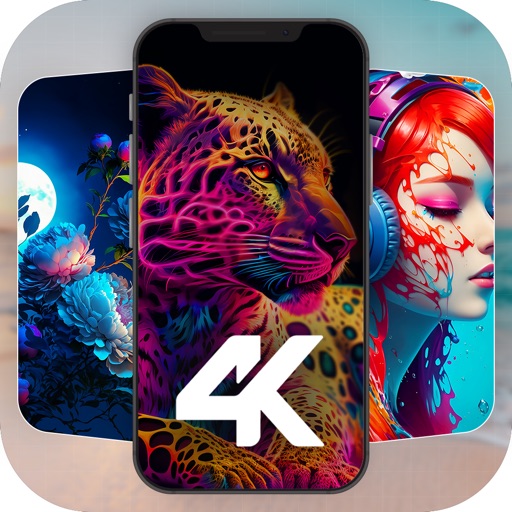
Set custom 4K wallpapers for lock and home screens. Choose from multiple design collections. Apply and change wallpapers easily. Enhance device appearance with high-resolution images.
Set wake-up time and receive alerts when is triggered or stopped. Notify registered monitoring partner as proof of . Use snooze from lock screen to pause .
Optimize device settings for products. Adjust brightness, volume, and touch sensitivity. Enable/disable features like auto-lock and screen timeout. Provide troubleshooting guides and system updates.
Set phone with 4K static images, live animations, and video backgrounds. Choose from curated collections. Enable live lock screen support. Customize watch faces with minimal design.
View live video from IP cameras using ID/password without needing a public IP or router setup. Control pan/tilt, zoom, and capture snapshots. Record video, adjust settings remotely, and access audio features.
Unzip compressed files with support for Zip, Tar-GZip, Tar-BZip2, RAR, 7-zip, LhA, StuffIt, and other formats. Open files by double-clicking. Extract files to chosen folders. Support password-protected archives.
The app allows batch processing to add, remove, or modify password security and metadata for PDF documents. It provides a list view showing document details and security options, with flexible file addition methods.
Access materials on smartphones or tablets anytime and anywhere. Search for words instantly, use highlight and note features to enhance learning. Sync with account ID and password for secure access to purchased content.
Create and Wi-Fi QR codes to simplify network connections. Generate QR codes with Wi-Fi name, password, and security type. codes via messages or email. Allow others to scan and connect securely.
View Wi-Fi network details including name, status, signal strength, and information. Check IP addresses of internet, , and connected devices. Change Wi-Fi password and manage settings. Analyze internet connection and network access.
Create secure passwords with options for simple or advanced modes. Generate hashes using algorithms like MD5, SHA-1, SHA-256, SHA-512, NTLM, SHA3, RIPEMD, and Whirlpool. Export password lists and hash results.
Allows users to perform calculations and securely store media. Users can import photos and videos selectively and protect them with a PIN or password. The includes a private for storing documents and media.
Scan documents using camera or photo library. Automatically detect and enhance edges for clear PDFs. Save and share scanned files. Organize and search documents. Export in multiple formats. Protect files with password security.
Manage vehicle settings with over 400 driving modes, parking, lock, and ECO modes to reduce fuel consumption. Monitor fuel efficiency and customize driving preferences for optimal performance.
Resize and scale images for Lock Screen and Home Screen. Apply blur, custom colors, and image fills. Use shape masks for unique effects. Export customized wallpapers directly.