Secure photo and video storage with password protection, including gesture lock, fingerprint lock, and dual password options. Organize media into custom groups with batch import/export.
by 帆 张★ 4.856 ratingsPhoto & VideoFreeData updated 2026-09-10
The app provides independent photo and video capture controls, including exposure and white-balance lock. It offers live filters, burst mode, and time-lapse video recording with editing options.
Between iOS, Mac, PC, iCloud, and external storage. Perform bidirectional or one-way . Preview files and adjust operations before syncing. Backup multiple simultaneously. Lock files during .
Display countdowns for important dates on Home Screen and Lock Screen. Customize layouts and backgrounds with personal photos or colors. Receive automatic updates with auto-repeat feature.
Securely store , videos, and documents with encryption. Lock content with PIN, touch, or face ID. Create decoy folders to real data from prying eyes. Access private files anytime with authentication.
Allows users to set HD cat images as home and lock screen . It includes 100+ full-screen cat pictures. Users can share on social media and download them for personal use.
Secure your network, manage devices, control access
Secure and manage home Wi-Fi network with network security tools and password management. Set parental controls, monitor connected devices, and view bandwidth usage. Perform speed tests and manage device access remotely.
Securely store and manage private photos and videos with password protection and encryption. Import media from system gallery, take new photos or videos without saving to gallery, and create password-protected albums. Enable Touch ID for unlocking.
Play videos in MKV, MOV, MP4, AVI, 3GP, and other formats. Adjust volume and brightness with sliders. Control playback speed and enable lock mode to prevent accidental stops. Create and manage custom playlists.
Manage account options by viewing active services, renewal dates, and costs. Check remaining call credit and usage history. Top up your account and activate or deactivate options. Log in with your number without a password.
Reference provides vehicle information including code, tumbler, and lock details. Users can search by year, make, and model. Features include key decoding, cutting, and programming instructions. Offers remote and on-board programming guidance.
Securely record and organize personal notes with end-to-end encryption. Create and manage encrypted entries. Set access passwords and enable automatic lock features. Sync across devices for seamless data backup.
Organize and secure photos and videos in encrypted vaults. Create private albums and set access permissions. View, edit, and share content within the . Enable biometric locks and password protection for added security.
The app allows users to browse video and audio files on their device and create custom playlists. Users can organize and play videos from their playlists, which can be password protected for privacy.
Securely manage private data with encrypted storage for notes, contacts, and media. Hide apps and browser logins with password protection. Set strong restrictions on sensitive content.
Track devices with accuracy calculation using confidence metrics and noise reduction. Quick update location data. Remote lock and sound device. View device history and maps. Set custom alerts for movement or location changes.
Manage access rights for smart locks using NFC-enabled smartphones. Grant or revoke permissions for specific locations. Update access settings as needed. Monitor lock status and receive notifications.
Check account balance with a single click. View recent transactions instantly. Log in using a username and password. Manage rewards and track progress. Access account details and transaction history.
Control smart devices with Tuya chip support. Create and activate custom scenes for lighting, temperature, and security. Adjust TV settings, lock doors, and manage multiple devices from one interface.
Secure home Wi-Fi networks with network security features. Manage SSID and password settings. Enable parental controls to block unwanted content and restrict device access.
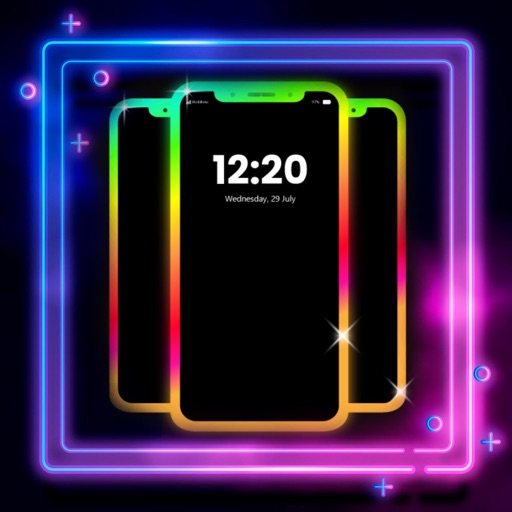
Create glowing borders around your phone's edges for both Home and Lock Screens. Customize colors, patterns, and effects. Sync with wallpapers for enhanced visual appeal.