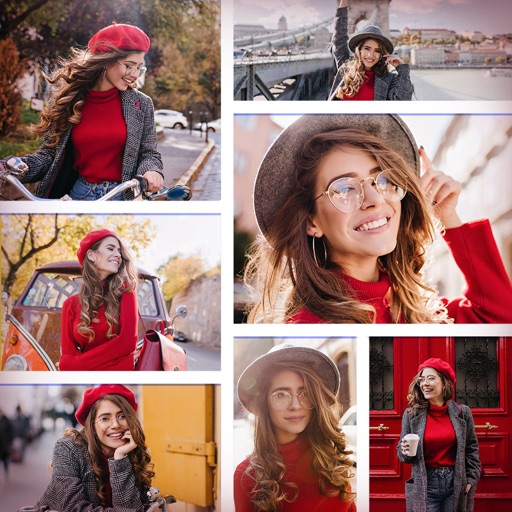
Create collages by combining multiple photos and videos. Choose from , poster, or editor modes. Adjust layouts, add effects, and stitch content together. Edit images with filters, cropping, and text overlays.
Create a collage of your top posts from a selected year or date range. Choose from different layout options. Share the collage as a single post. View and relive past moments through curated photo selections.
The app allows users to create collages on square backgrounds and add text. Users can choose backgrounds, add photos, and customize text with options for font, size, color, transparency, and rotation.
Create collages by arranging photos in various layouts and adjusting their position, angle, and size. Apply unique filters and choose from rich typography styles and text stickers.
Create collages by arranging multiple photos in predefined shapes. Choose from 100+ categories including hearts, animals, and flowers. Automatically place photos within selected shapes. Export finished collages.
Edit videos with trimming, splitting, and merging tools. Add text, stickers, and background music. Apply filters and transitions. Export in various formats and share directly. Remove watermarks and adjust audio settings.
Create collages using 100+ adjustable layouts. Customize with gesture controls and regulation bars for precise adjustments. Choose from beautiful backgrounds and filters. Edit photos with cropping and ratio adjustment tools.
The app allows users to create picture collages on their iPhone. Users can arrange pictures in various styles, add text, and customize individual picture placement within frames.
The app creates unlimited collages with a single tap using a SmartSorting algorithm. Users can import photos, select modes, and apply various styles, text, backgrounds, filters, and stickers.
Solve puzzles by matching a secret to four images. Select answers from multiple choices. Play offline with over 300 puzzles. Share scores with friends. Track progress across multiple sessions.
Create collages by combining multiple photos and videos into framed cells. Add rounded corners, shadows, and patterns. Choose from 500+ adjustable frames. Use an easy color picker for customization.
Remove from images using AI-powered cutout. Select between "Star" mode for edge detection or "Auto" mode for pixel-based erasing. Save transparent images for use as stickers in other apps.