Apps Like 工程几何计算器 - 多边形面积、三角形函数边长角度 for iPhone and iPad
Calculate area, convert units, solve triangles
Calculate geometric areas by entering parameters. Solve triangle side and angle problems with any three inputs. Convert units between millimeters, centimeters, meters, and kilometers. Use a dedicated numeric keypad for efficient input.
by 境 饶★ 4.49 ratingsUtilitiesFreeData updated 2026-09-10
Provides calculations for DIY and tasks. Users can convert units and solve equations using decimal or fractional inputs. Save calculations, organize favorites, and email inputs and results for sharing.
Calculate in binary, hex, and decimal simultaneously
Convert numbers between binary, hexadecimal, and decimal bases. Display all three bases simultaneously. Switch input modes and see results in all bases. Perform arithmetic, logic, and bitwise operations. Support unsigned and 2’s complement numbers.
Convert units across 16 categories including temperature, currency, distance, weight, and volume. Access a standard and scientific within the . Units are organized by usage frequency with commonly used units displayed first.
Convert video files to MP3 audio. Extract audio from videos and save as custom . Play audio files directly. Support multiple video and audio formats. Batch process files for efficient conversion.
Calculate molecular weights with a dedicated organic chemistry calculator. Long-press elements for details. Input elements, numbers, and parentheses for real-time results. Access a full-sized periodic table with combined periods 1, 2, and 3.
Track speed in using units like meters per second, miles per hour, and kilometers per hour. Display speed in English or Spanish. Allow users to request additional language support.
Convert currencies with real-time exchange rates for 60+ global currencies. Use the built-in calculator to perform math operations. Swipe to adjust positions and scroll to navigate the list.
Calculate for different shapes and dimensions. Input material type, length, width, and thickness. Choose units and view results in kilograms or pounds. Save calculations and export data as PDF.
Measure objects using touch as or tape measure. Split objects into equal parts and calculate width/height ratios. Estimate diameter, angles, and divide circular objects. Switch between millimeters and inches for units.
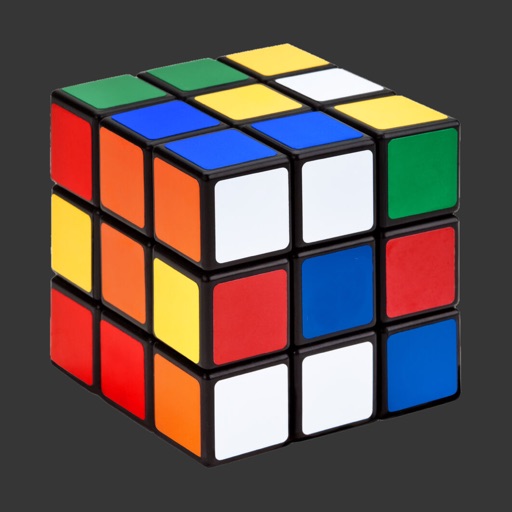
Solve Cubes of sizes 2x2 to 7x7. Rotate layers with finger swipes or tilt the phone for viewing angle changes. Use AI hints to assist with solving steps.
Perform calculations, convert units of measurement, and switch between different calculation modes. Input values, select formulas, and view results. Track history and manage multiple calculation sessions.
Solve math problems from basic arithmetic to advanced algebra. Perform exact fraction calculations and store unlimited variables. Create custom functions and graph equations. Switch between exact and numerical modes.
Solve puzzles by uploading screenshots or manually entering grid states. Get step-by-step solutions from AI analysis. Track progress and save game states for future reference.
The app offers quick conversion results for over 330 units and currencies. It features an ultra sleek design and a search function for fast conversions on iOS devices.
Convert units for daily use including currency exchange with over 100 currencies and real-time rates. Switch between Chinese, Roman, and numeric formats. Convert clothing sizes across Chinese, US, UK, and EU standards.
Calculate optimal PV angle for maximum electricity
Determine optimal PV angle for maximum electricity generation. Access data charts including elevation, azimuth, sunrise, sunset, and sunlight duration. Calculate vs azimuth optimization for chosen azimuth.
Convert units of length, weight, area, liquid volume, and temperature between US and metric systems. Select the category, input the value, and instantly convert to the desired .
Calculates , RPM, final drive ratio, and rollout in inches and millimeters. Stores setups and notes. Allows emailing of data for record keeping. Input pinion and spur sizes for calculations.
TVs, lights, and AC units with buttons, gestures, or voice commands. Adjust volume, power on/off, and switch channels or inputs. Create automation scenes for multiple devices.