

Apps Like Drawing Keyboard Simple for iPhone and iPad
Drawing Keyboard Simple screenshots
Ranked alternatives
Showing 221–240 of 1,000 ranked alternatives.
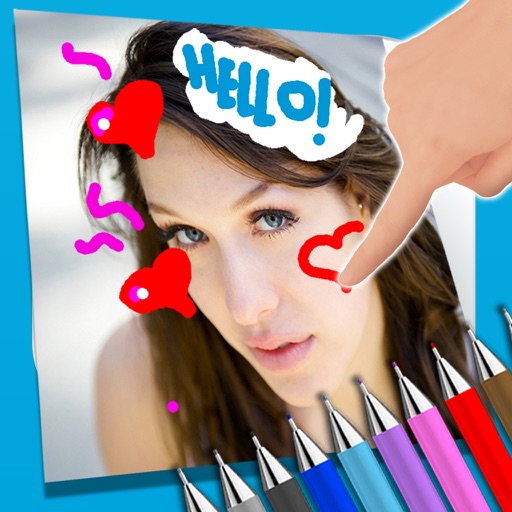
Paint over photos
Alejandro Melero Zaballos
Draw and write on photos.
The app allows users to write notes and draw on images using a photo and text editor. Users can select from three pencil types and various colors, change backgrounds, and add captions to photos.


Easy Paint II
ICI Solutions
Draw color retouch share creations
The app allows users to draw geometric shapes, color drawings, and retouch photos. Users can share their creations with friends using different drawing tools and colors.

mob'em all - drawing puzzle
FTY LLC.
Draw lines to block the crowd
Create a protective wall by lines to block approaching crowds. Avoid line collisions to keep the wall intact. Game ends if lines intersect. Adjust strategy to survive longer.

Fonts Keyboard + facemoji
Alexei Ilin
Type with unique text and emoticons
Customize text with unique , symbols, and emoticons. Add animated characters to messages and social media posts. Personalize text layouts and choose from a wide variety of styles to enhance digital communication.

Simple Blackboard
Bita Sobhani
Draw on or whiteboard
Draw on a or whiteboard with adjustable brush sizes and multiple paint colors. Create shapes like lines, arrows, circles, and polygons. Add text with customizable font sizes. Import photos and record video directly within the .
Coloring book : Draw Halloween
Nutty Face s.r.o.
Color pages, paint, share creations
Pages feature -themed images for children to color. Users can select and apply colors to drawings. Options include drawing freehand or using pre-set tools. Save and share completed artwork.

Before and after collage
Mireia Lluch Ortola
Create collages to compare photos
Create -and- photo collages by selecting from two types. Compare images of your body, face, home, or pets over time. Add fun and stylish frames to enhance the visual contrast between photos. Share the final directly.


Bibi Drawing & Color Kids Game
Marvels srl
Pixels, solve tangrams, explore patterns
Children can drawings to develop artistic skills and creativity. They can solve puzzles and patterns to enhance problem-solving abilities. The includes pixel and tangram games with animal themes. Six gameplay modes offer varied learning experiences.
Draw Painter Drawing on Papers
Chaochuan Zhang
And edit images with tools and effects
And paint with a variety of tools including pens, lines, arrows, rectangles, ellipses, and text. Apply effects, adjust colors, and use filters. Crop, enhance, and add stickers to artwork.


Little Artist: AI Drawing Kids
Nanjing hanhe culture media Co., LTD
AI transforms kid's doodles into art.
The app uses AI Magic to transform children's doodles into various art styles like watercolor, anime, or Chinese ink. It offers step-by-step drawing guides and a coloring book for children ages 2–6.


How we rank alternatives
Apps are ranked by functional similarity, category fit, rating confidence, and popularity.