Apps Like Simple Pixel Draw & Paint for iPhone and iPad
Simple Pixel Draw & Paint screenshots
Ranked alternatives
Showing 361–380 of 1,000 ranked alternatives.
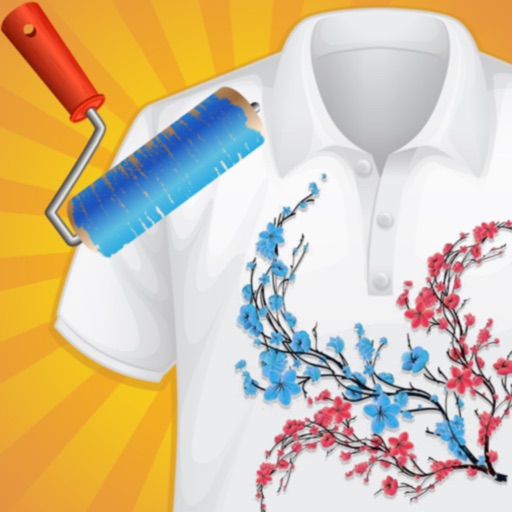
T-Shirt Masking Print Master
VECTOR LABS LIMITED
Design -shirts and share your art
Create custom -shirts by selecting and applying colors to designs. Draw on shirt templates to personalize artwork. Save and share finished designs. Explore various tie-dye patterns and color combinations.

Animator : Animation Maker
Sumita Hirpara
Doodle, animate, export videos
Create animations using frame-by-frame drawing on photos. Add doodles and export as GIF or video. Share finished animations with friends. No advanced drawing skills required.
TinyBlackboard: Draw Assistant
利军 周
Capture inspiration anytime anywhere now.
The app simulates a blackboard effect with chalk fonts and supports multiple blackboard styles. It offers a playback function to replay the entire drawing process and generate a video to share with friends.


Cartoon Yourself — PixGenie AI
Gabriel Hohener
Convert photos to art instantly
Turn photos into art with AI-powered style transformations. Choose from 12+ artistic styles including anime and comic book. Upscale images to 4K for sharper details. Create avatars without account setup or data storage.



FaceBlur Video
Terminalni Poslovi d.o.o.
Blur faces in photos and videos
Blur faces in photos and videos using an AI-powered tool. Select areas to blur and apply precise face tracking for accurate results. Choose from multiple blur styles and overlays to customize the effect. Share edited content directly from the .

Molecule
Kirill Blinov
Draw and share chemical structures
Draw and share chemical structures with interactive tools. Calculate molecular formula, molecular weight, monoisotopic mass, and elemental composition in real time during drawing.
Decopuchi
GATEWEB CO., LTD.
Edit photos with neon, shadow, and blur
Edit photos with neon, shadow, and synthetic effects. Adjust brightness, contrast, and color. Add text, stickers, and transparency. Apply blur, cartoon processing, and halftone patterns. Invert colors and use copy-paste tools.


How we rank alternatives
Apps are ranked by functional similarity, category fit, rating confidence, and popularity.