Apps Like Surround Speaker Check for iPhone and iPad
Test spatial audio setups
Verify placement and calibration for Dolby Atmos systems. Test spatial audio with preloaded content. Adjust settings to optimize sound quality. Provide real-time feedback on setup accuracy.
by Jeff Perrin Music, LLC★ 3.841 ratingsUtilitiesFreeData updated 2026-09-10
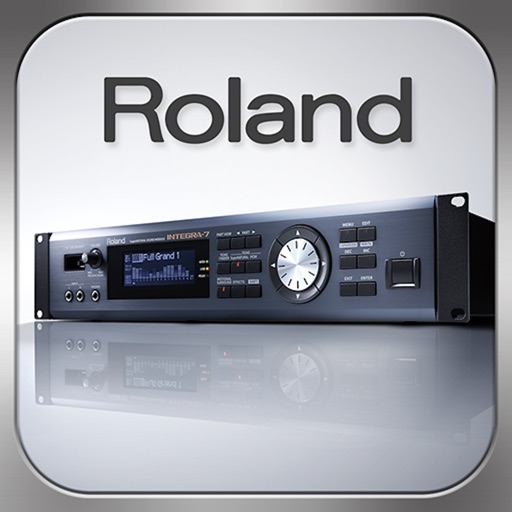
Control synthesizer parameters like SuperNATURAL Synth Tones and Part Mixer remotely. Select and load Studio Sets. Adjust tone assignments for each part. View and modify settings on an iPad screen. Requires Roland -7 and Wireless Connect.
Adjust settings with customizable equalizer presets. Boost , adjust treble, and fine-tune frequencies for different music genres. Compatible with various music apps for enhanced sound quality.
Control device power, select audio sources like Line Input, DAB, Internet Radio, Podcasts, FM Radio, or Bluetooth. Adjust volume, play/pause, and access pre-sets. Connect to Wi-Fi, set up devices, and add new products to your home network.
Boost device beyond system limits. Increase music output for headphones or speakers. Adjust sound levels to enhance audio clarity. Enable playback for calls and media. Control settings directly within the .
Adjust audio settings with bass , treble enhancer, and midrange sculptor. Apply custom presets to personalize . Equalize playback for clearer vocals and richer bass. Export modified audio files for playback or sharing.
Adjust TV, projector, and speaker settings for optimal sound and visuals. Guide users through calibration steps. Connect to compatible devices via HDMI or wireless. Provide real-time feedback on audio and video performance.
Test speaker audio output using frequency ranges to assess clarity and balance. Perform stereo checks to ensure equal left and right channel performance. Generate tones within 160–180 Hz to adjust and optimize sound quality.
Optimize device audio with frequency adjustments and stereo compatibility testing. Set up custom algorithms via simple questions or manual mode. Schedule speaker maintenance reminders. Monitor processing statistics.
Measure audio, adjust equalizers, set subwoofer phase
Perform room correction by measuring with sine sweeps or real-time pink noise. Average measurements or use moving mic measurements. Compare results to target curves and edit them. Generate equalization filters for PEQ or FIR.
Manage and play audio files directly on Apple Watch. Add files from various sources. Organize by albums and artists. Create playlists and mark favorites. Control playback speed and resume positions.
Boost audio volume for devices using a powerful volume . Adjust sound levels to maximum output. music and video playback through device speakers. Control audio settings for enhanced listening experiences.