Apps Like Pimp Your Face - Cute Your Call Screen for iPhone and iPad
Design avatars and create wallpapers
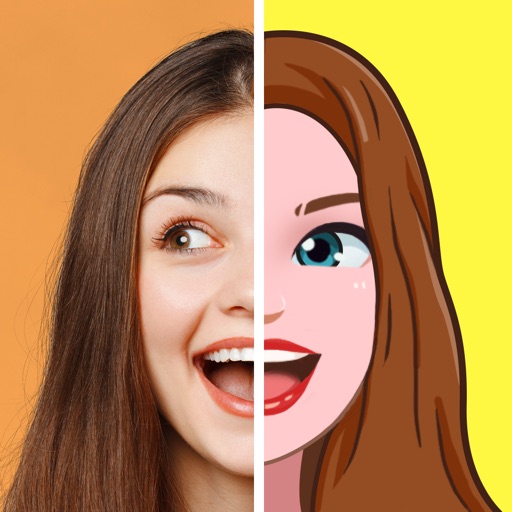
Create custom avatar wallpapers for contacts. Choose from various design elements and templates. Save and share created avatars. No modifications to iOS interface elements. Supports iOS 8 and newer devices.
Create custom Apple face wallpapers using a variety of cute and detailed design elements. Access a large library of resources to personalize the face. Export designs for use on Apple without altering native interface elements.
Faces in photos and videos using AI technology. Apply funny filters and edit images. Generate AI avatars and create -swapped content. Preview hairstyles and edit photos with customizable effects. Share finished content directly.
Create unique shirts, pants, and accessories. Use advanced 2D and 3D editing tools. Preview outfits on customizable avatars. Design skins and digital fashion for avatar-based platforms and games.
Customize avatars with clothing and accessories. Build and decorate a dream home in a vibrant city. Explore diverse locations and interact with characters. Collect items and unlock new content through progression.
Play and explore user-created games and virtual worlds. Create and share your own experiences with drag-and-drop tools. Invite friends to join multiplayer games. Customize avatars and environments.
Build a on floating islands with farms, habitats, and buildings. Collect and breed dragons to create unique hybrids. Train, feed, and evolve dragons into powerful creatures. Complete the Book by combining dragons of various elements.
Create and customize avatars with clothing and accessories. Decorate and personalize virtual homes. Invite to join multiplayer sessions. Participate in interactive adventures and events.
Access exclusive content like podcasts, videos, art, writing, recipes, courses, and music from favorite creators. Join community groups and chat with other fans. Unlock posts and engage with creators through direct support.
Create personalized emojis and GIFs using a customizable . Design avatars with facial features, hairstyles, and accessories. Share created emojis and GIFs through iMessage and other messaging apps. Edit and customize stickers directly within the .
Customize lock screens, icons, charging animations, and widgets. Choose and personalize watch faces. Adjust settings to reflect personal style and enhance device appearance.
Style avatars with 1000+ clothing items, accessories, and hairstyles. Customize makeup and create unique characters. Design stories and interact with characters. Upgrade creative skills through gameplay.
Create and share photos and videos for social profiles. Use AI to make magic avatars. Design stories with 100+ templates. Add hashtags for profile growth. Include cool text and symbol art in captions. Access 300+ captions to overcome writer's block.
Set home and lock screen with wallpapers. Choose from HD, 4K, and backgrounds inspired by popular genres. Customize wallpapers to match preferred styles and moods. Apply wallpapers directly to device screens.
Create videos using AI avatars based on text, voice, or existing videos. Generate lifelike animations 24/7. Use creation shortcuts and a agent for faster editing. Export and share videos directly.
Create live wallpapers by customizing backgrounds with graphic design elements. Choose from 1000+ professionally designed patterns and themes. Add text, stickers, and other visuals to personalize iPhone screens. Save and set as directly.
Create logos using AI without design expertise. Input text or images to generate multiple options. Customize colors, fonts, and layouts. Export logos in various formats and share directly.
Design avatars with customizable clothing and skins. Create and style outfits using a visual editor. Import and apply designs to avatars. Export creations for use in games. Adjust colors, patterns, and accessories. Save and share custom designs.
Edit with one-click cutout and batch processing. Remove unwanted elements and replace backgrounds. Create collages and ID . Use templates and stickers for design. Perform multi-layer synthesis and green screen effects.
Customize iPhone home screen with , wallpapers, and themes. Choose from minimal, vintage, artistic, or seasonal designs. Apply themes to unify and background. Preview and install customizations directly.