Record 360° videos in 5.8K resolution. Crop and frame sections of 360° footage. Share as HD video or immersive 360° video. Apply stabilization to reduce camera shake. Edit clips and export in multiple formats.
by Visual Supply Company★ 4.2113 ratingsPhoto & VideoFreeData updated 2026-09-10
Allows users to capture 360-degree photos and videos with ultrawide camera support and video stabilization. Users can automatically process and upload content. The supports both iPhone and iPad devices.
Control 360 photo booth hardware wirelessly. Manage event setups, capture and edit videos, and share content. Create and customize events for weddings, birthdays, or company parties. Sync with iPad devices for seamless operation.
Create videos using customizable templates. Upload clips from camera roll. Trim and combine footage. Add text and effects. Export in various formats. Maintain brand consistency with on-brand templates.
Capture 360-degree photos and videos using built-in camera support for GoPro models. Adjust white balance and record in 1080P resolution. Share content instantly with event guests.
Capture photos and videos in film styles like 135 film, 120 film, toy cameras, and slide film. Apply real film grain and color tones. Record and save footage directly without post-editing. Share media directly from the .
Create videos by adding music, photos, and text. Generate collages and slideshows. Export in various formats and share directly. Edit with automatic transitions and effects. Sync with social media platforms.
Edit videos with trimming, splitting, and merging tools. Add text, stickers, and music. Apply filters and transitions. Export in vertical 9:16 format. Share directly to TikTok, Reels, and Shorts. Supports multiple video and audio sources.
Watch 360-degree and 3D VR videos on VR headsets or without glasses. Navigate through a library of VR content. View immersive videos in virtual environments. Support for multiple VR devices including cardboard and Oculus.
Record with high-quality resolution and manual controls. Edit clips with trimming, transitions, and effects. Add text overlays and music. Share directly to social media platforms. Export in various formats.
Control camera settings and tag geo information on photos. View and edit 360-degree photos and videos. Choose from five visual effects including front, segmentation, dome, ring, and panorama. Record and playback 360-degree videos remotely.
Create studio-quality product photos using AI-generated scenes and virtual models. Remove or replace backgrounds with one tap. Add custom logos and text to images. Export in high-resolution formats.
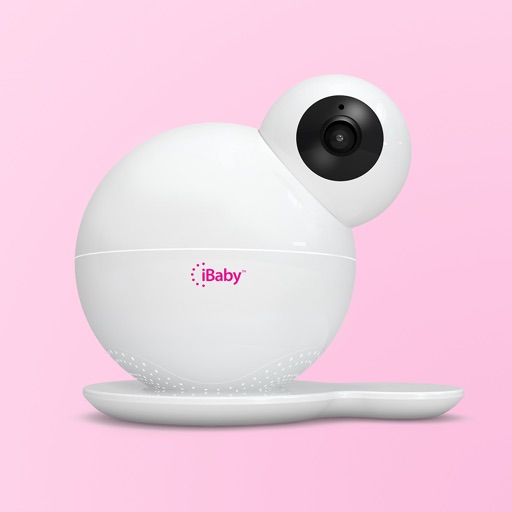
The app allows users to view live HD video streams from their iBaby monitor day or night. Users can play music, record stories, and speak with loved ones, while also capturing photos and video clips.
The app allows users to create Hollywood-style trailers and movies with titles, transitions, and music. Users can select albums or groups of videos and images, and the app will create a video with no editing required.
Edit videos with trimming, splitting, and rearranging clips. Add transitions, text, and music. Adjust speed and apply filters. Export in various formats and share directly.
Edit videos by importing any length footage and selecting a layout or stencil. Add text or stickers. Cut video into 15-second fragments or custom lengths. Save clips to Camera Roll in chronological order. Share edited videos on Instagram Stories.
Edit photos with 220+ filters across 14 themes and add film-style analog effects. Apply textures for mood and light leaks. Create video stories using hundreds of templates. Edit videos with basic tools and share directly to social media.
Edit photos and videos with AI retouch for detailed skin enhancement and blemish removal. Adjust lighting, color, and composition. Add text, stickers, and filters. Export in various formats and share directly.
Record videos with a 4K and add clips to projects via widgets. Edit vlogs by trimming multiple clips to the same length. Create quick recaps, intros, and previews. Browse content from specific dates. Use AI tools to generate images.
Edit photos and videos with 1000+ across 80+ packs. Customize iOS icons and highlights for Instagram. Plan social media posts and apply filters to enhance content.
Edit videos by selecting photos or clips, adding text, and using AI to generate content. Apply filters, adjust timing, and export for social media platforms. Share directly or save in multiple formats.