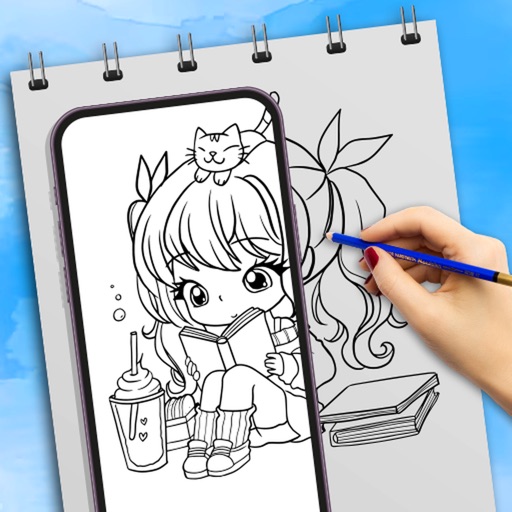
Create 3D scenes with multiple characters or simple shapes to visualize sketch outlines. Generate storyboards via screenshots or frame comic book illustrations. Adjust light and perspective for anatomically accurate figures.
by UNSH VOF★ 4.64,412 ratingsUtilitiesFreeData updated 2026-09-10
Record HD videos and movies. Apply filters and effects. Crop and rotate videos. Adjust contrast, saturation, brightness, and temperature. Fine-tune colors and create custom filters. Use presets. Export in high resolution. Share videos directly.
Create drawings with a variety of colors and brushes. Select from pre-designed templates and characters. Add animations and sound effects. Save and share artwork directly.
Photos and organize the gallery by swiping to delete duplicates, blurry images, or screenshots. Remove clutter and free up space with one-tap actions. Reclaim device space efficiently without manual selection.
Play videos from cloud storage, Emby, VOD, M3U, and IPTV sources. Support multiple playlist formats. Stream content directly from supported services. Manage playback settings and organize media files.
Annotate photos with text, drawings, and hand-drawn elements. Add watermarks and autographs. Create and share Photocards. Incorporate internet memes. Edit and enhance images for personal or professional use.
Edit photos by removing objects with a magic eraser and auto-cutout tools. Adjust colors, apply filters, and enhance details. Save and share edited images directly.
Record and organize ideas with sketching, writing, and note-taking features. Sketch digitally, add text, and collect visual references. Sync across devices and access projects anywhere.
Transform photos into professional-quality images using AI. Upload a and generate polished, commercial-ready visuals instantly. Export images for Etsy, Shopify, TikTok, and Instagram without editing.
Use camera to draw and paint in augmented reality. Access tracing templates for animals, cars, nature, food, anime, and more. Adjust brush size and color. Save and share artwork directly.
Create pixel art using a grid-based drawing tool. Share artwork with others and follow pixel artists. Receive feedback and view community creations. Export art in various formats and access tutorials for improvement.
View a world map displaying daylight and nighttime regions. Update every minute. Select date and time to view specific day- distributions. Create animated GIFs showing changes in daylight and nighttime areas over time.
Download and fonts for Procreate to enhance illustrations. Install content with a single click. Includes sets compatible with Procreate for iPad. Created by professional designers for both beginners and professionals.
Turn your iPad or iPhone into a or secondary display for Mac and PC. Run apps side by side, control your computer remotely, and access files instantly. Support multi-tasking and portable productivity with zero lag.
Annotate photos with text, drawings, and stickers. Add watermarks and autographs. Create and share Photocards. Incorporate internet memes. Edit and share annotated images directly.
The app locks down the exam environment, preventing users from accessing other URLs, switching applications, or taking screenshots. It keeps users in the exam until submission.
Screenshots using AI to detect edges, frames, and text lines. Add uniform padding and rounded corners. Zoom for detailed editing. Choose from multiple aspect ratios. Batch images with identical resolution.