Copy text and pictures with one click to share with contacts. Merge and copy multiple common phrases for quick reuse. Send files directly without navigating through albums. Share content instantly with selected contacts.
by 建菲 黎★ 4.423 ratingsProductivityFreeData updated 2026-09-10
Store and manage files like photos, videos, music, and documents. Access files from iPad, iPhone, or web. Create and organize folders. Share files via email, text, iMessage, Facebook, Twitter, or copy links. Earn extra storage space through activity.
Speak to spoken words into text and vice versa. text from photos and spoken language. Adjust playback speed. Copy text. Convert speech to speech in multiple languages. Use Apple's voice recognition. Detect end of speech automatically.
Read QR codes and barcodes with autofocus and manual focus. Open Safari, make calls, send emails, and save contacts from scans. Copy text, share via Twitter and Facebook, and scan from photos. Create QR codes from contacts, emails, and phone numbers.
Manage and organize with copy, paste, rename, and move functions. View images, videos, audio, text, HTML, Microsoft, Apple iWork, and PDF . Share via dynamic iTunes folder or email attachments. Supports iPhone, iPod touch, and iPad.
Annotate photos with text, drawings, and stickers. Add watermarks and autographs. Create and share Photocards. Incorporate internet memes. Edit and share annotated images directly.
Send messages without saving numbers to contacts. Compose and send repetitive messages with one . View chat history and manage conversations directly. Share media and links instantly. Use Business features without adding business numbers to contacts.
Enable line breaks in text by copying formatted content from the . Paste into social media text fields for proper formatting. Save drafts for later editing. Adjust text spacing and alignment. Share formatted text directly to supported platforms.
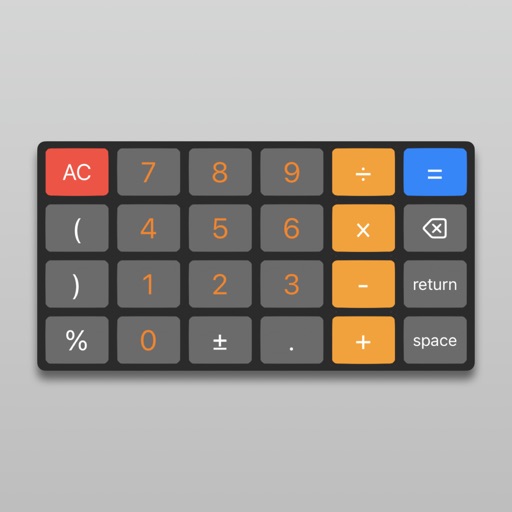
Perform calculations with live voice input. Use an ergonomic key layout with an extra large "+" key and backspace function. Copy and send results via email. Support dark mode and retina display on all iPads and iPhones. Track usage history.
Up to 10,000 times with a single input. Copy and paste to generate repeated messages. Save or share repeated as files. Set repetition count and customize output format.
Documents, photos, receipts, or other materials into clear, sharp images or PDFs. Correct perspective, remove shadows, and adjust colors. Save, email, print, or cloud-store scans. Combine multiple scans into one PDF using batch mode.
Save frequently used text snippets on a personal pasteboard. Access and copy text quickly from a toolbar. Edit fonts and choose between dark or light themes. Sync with Instagram, WhatsApp, Messages, Snapchat, and Tik Tok.
Ask questions about general knowledge, history, science, and geography. Get fast and precise answers. Copy or export responses. Use templates for productivity. Search without browsing long result lists. Speak to the for hands-free assistance.
Scan QR codes and barcodes including UPC, Code39, EAN13, EAN8, Code93, Code128, PDF417, Aztec, and ITF14. Use scan with autofocus or photo scan to read codes from images. Generate QR codes and barcodes. Activate flashlight during scanning.
Helps users maintain concentration during tasks. Place the phone face down to start a . The device vibrates, flashes, and makes noise if touched. Upon completion, a fairytale is provided as a reward.
Organize tasks with maps. Auto-arrange nodes, drag to reposition, and copy branches. Track progress with color-coded maps. Set reminders and add notes. Share maps with friends or export as images.
Store, view, and manage files on iOS devices without a Mac or PC. Transfer files wirelessly and backup contacts. Access a document viewer, file manager, voice recorder, and text editor. Perform operations like delete, move, copy, and email files.
Font allows users to apply 100+ fonts and text styles to typed content. Customize font appearance and receive regular updates. Manage entries with one-tap shortcuts for phrases, links, and emojis. Toggle copy and instantly.
The app offers over 500 Unicode symbols across seven categories. Users can send fun characters via email, messages, or copy them to the clipboard for use in any application.