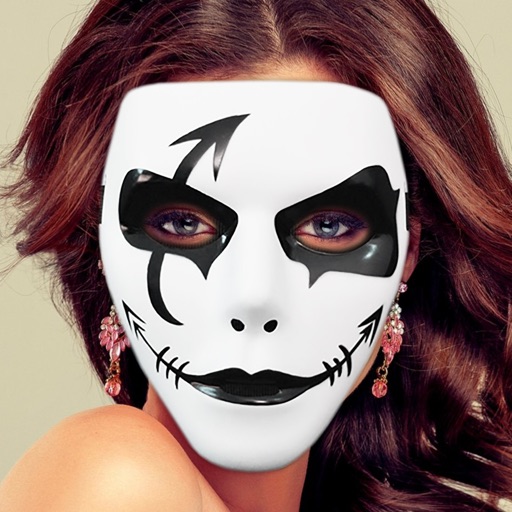
Take photos with real-time chroma key and adjust brightness and color temperature. Edit images using eraser, crop, and zoom tools. Share photos on Instagram, Facebook, and other platforms. Tag with # to join a global gallery.
by OrangeMonkie Korea★ 4.0166 ratingsPhoto & VideoFreeData updated 2026-09-10
Edit photos and videos using over 200 and 100 effects. Adjust brightness, contrast, saturation, and color balance. Crop, rotate, and apply . Export in multiple formats and share directly.
Trim videos, add text and transitions, apply filters, and use templates. Insert music and adjust timing with simple taps. Export in various formats and share directly to social platforms.
Edit photos and videos with AI-powered tools, apply filters and overlays, and create dynamic videos from images. Share edited content via email or social media platforms like Instagram and Facebook.
Record videos using a feature to display text as you speak. Edit subtitles and add effects to enhance presentations. Share finished videos directly to social media platforms.
Backgrounds from photos using AI-powered tools. Edit photo backgrounds, replace with new ones, and generate PNG files. Save and share edited images directly.
Edit photos with cropping, resizing, blending, and beautification tools. Adjust brightness, contrast, and saturation. Add stickers, backgrounds, graffiti, and borders. Create collages with over 500 stickers. Apply filters to montages.
Edit images with brightness, contrast, and other adjustment tools. Import photos and place them in customizable Story templates. Create gradients and use the dropper tool to match colors. Share edited content directly to Instagram .
Edit photos with layers, filters, and brushes. Adjust brightness, contrast, and color. Add text and stickers. Export in multiple formats and share directly.
Edit photos using presets, crop, straighten, adjust exposure, saturation, brightness, contrast, and shadows. Apply textures to enhance images. Save and share edited photos directly.
The app allows users to change a monochromatic background into any image. It offers tools to manually remove backgrounds without a green screen and includes features like auto-enhance, drawing, stickers, text, and various photo effects.
And paint with a variety of tools including pens, lines, arrows, rectangles, ellipses, and text. Apply effects, adjust colors, and use filters. Crop, enhance, and add stickers to artwork.
Edit videos using AI Auto Edit tools. Convert images to with AI Image-to- features. Apply AI Art filters for Vivid Anime and Fairy Classic styles. Use templates like Sunflare and AI Kissing for creative effects.
Edit videos with trimming, splitting, and merging tools. Add text, stickers, and music. Apply filters and transitions. Export in vertical 9:16 format. Share directly to TikTok, Reels, and Shorts. Supports multiple video and audio sources.
Edit photos and videos with high-quality filters and customizable presets. Create and save custom presets. Use full-screen editing mode. Access intuitive tools for creative adjustments. Share edited content directly.
Take photos with a retro film interface. Apply filters and grain effects. Adjust exposure, contrast, and color balance. Add film-style borders and text overlays. Export images in JPEG format and share via social media.
Edit photos with makeup tools designed by professional MUA. Adjust lighting, angles, and remove blemishes. Access real-time retouch features for full creative control. Apply exclusive makeup looks and export edited images.
Edit vehicle photos with AI-powered background removal and color correction. Adjust lighting, crop, and resize images. Export in high resolution and share directly to marketplaces and social media.
Control LED devices by adjusting color, temperature, and brightness. Connect via Wi-Fi or Bluetooth. Sync backlight to music rhythm. Compatible with LED strips, bulbs, and other supported devices.
Edit videos with slow motion, compression, and reaction camera features. Create intros and slideshows. Add music and apply one-click effects. Record screen and enhance videos with animations and filters.