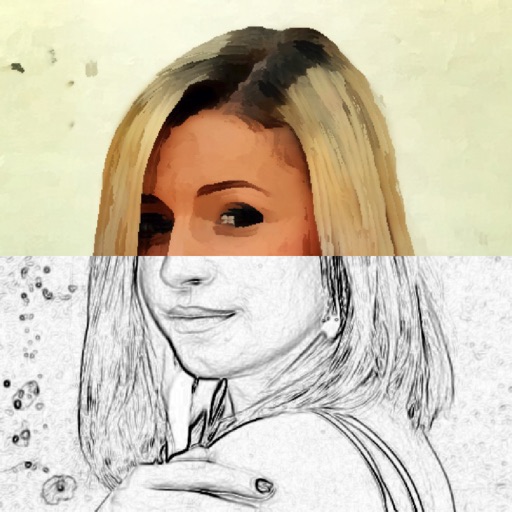
Create and style photos with single tap effects. Apply 8 filters including , Cartoon, and Dots. Share images to social media or save to photo library. Print photos directly.
by Quantis, Inc.★ 4.1322 ratingsPhoto & VideoFreeData updated 2026-09-10
Edit photos with adjustment tools, stickers, frames, textures, effects, and a wide range of filters. Add text and apply effects. edited photos directly from the .
Decorate photos with customizable and effects. Choose images from the gallery or capture new ones. Adjust position, size, and angle. Save, share, or upload photos to social media platforms.
Decorate photos with customizable and effects. Choose images from the gallery or capture new ones. Adjust position, size, and angle. Save, share, or upload photos to social media platforms.
Convert photos and videos into animated anime style in real time. Apply filters instantly with zero frame lag. Capture and save transformed images or videos directly from the camera.
Convert photos into sketches with tone drawing engine. Adjust pen color, size, and background. Generate strokes with transparent backgrounds. Save sketches in original size and colorize with original colors.
Apply premium filters for vintage, film, and fashion styles. Adjust brightness, contrast, and saturation. Add text overlays and export in high resolution. Share photos directly to social media.
Decorate photos with customizable and effects. Choose images from the gallery or capture new ones. Adjust position, size, and angle. Save, share, or upload edited photos to social media platforms.
Add pic-in-pic effects to photos by selecting from various styles. Edit images options. Share finished photos to social media platforms like Facebook and Twitter. Capture or choose images from the roll.
Take secret photos using camouflage modes and customizable settings. Adjust lighting and motion detection. View and delete captured images. Share photos directly or save to device storage.
Edit photos by selecting from the gallery or using the camera. Apply multiple and effects. Adjust position, size, and angle. Save, share, or upload images to social networks like Facebook and Twitter.
The app prepares photos for sharing on social media platforms. Users can apply filters and borders to images without cropping, keeping them in a square frame for platforms like Instagram.
Edit photos with enhancement tools, effects, and frames. Add stickers and overlays. Crop, rotate, and adjust brightness, contrast, and saturation. Remove blemishes and red eye. Apply color splash and sharpen or blur images.