
Apps Like Pic FX Editor for iPhone and iPad
Pic FX Editor screenshots
Ranked alternatives
Showing 181–200 of 1,000 ranked alternatives.

Art Canvas Pic to Mesh Camera
Appkruti Solutions LLP
Edit photos with art styles and effects
Create self-portraits with various art styles such as watercolor, oil painting, and wire craft. Apply live effects or modify existing photos. Choose from multiple canvases and unique effects like droplet.


Video Color Editor
80 Degree Photo Studio Co., Ltd
Edit colors and apply splash effects
Edit videos by colorizing specific parts and adjusting brightness, saturation, and hue. Change of selected areas, adjust contrast and white balance, and apply vignette effects. Convert videos to black and white with retention in chosen details.


Baby Pink : Photo Editor & Cam
晓乾 郑
Edit photos with beauty filters and stickers
Take photos or select from gallery. Apply beauty filters and edit selfies. Use over 240 filters and 800+ stickers. Crop photos and adjust sizes. Edit photos with built-in effects and blending tools.
Janmashtami Photo Frame Editor
Patel Ravjibhai
Apply frames to photos and videos
Apply frames to images. Adjust frames to fit photos. Edit images with special effects. Save and share edited photos. Switch between different frames easily.


PixVibe: Magic Object Eraser
EverPixel Yazilim Anonim Sirketi
Edit photos, remove objects, change backgrounds
AI photo editor allows users to remove objects, people, and text from images. Change backgrounds and retouch photos with AI tools. Edit faces and create avatars. Export edited images in various formats.


AI Baby Generator Baby Face
Phuong Thao Nguyen Thi
See photos using AI
Predict ’s appearance using AI-generated images based on parents’ photos. Upload partner’s photo to create a future child’s . Adjust facial features and view different variations. Share generated images with others.

Lovely Selfie Filters PicVi
Appkruti Solutions LLP
Apply , edit photos, share videos
Apply to photos and videos in real time. Edit existing media from the camera roll. Organize into categories for quick access. Share edited content directly to social media. Adjust brightness, contrast, and color settings.

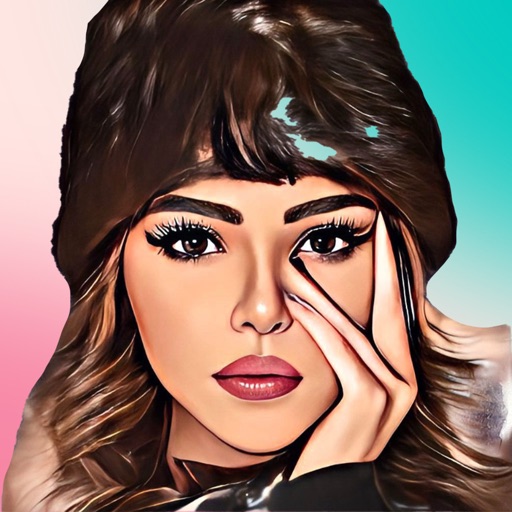
CartoonMe: Cartoon Yourself
Himanshu Rupareliya
Snap and cartoonify your photos
Turn photos into cartoons with filters and effects. Apply over 30 styles and 100 background effects. Edit selfies or select images from the gallery. Export and share the cartoonized photos.

Pic Square - Post Entire Photo Without Cropping
MULIAN LI
Edit photos and them directly to Instagram
Edit photos to full size on Instagram . Stretch edge pixels to fill gaps. Choose from blur, mosaic, color, and pattern backgrounds. Take photos directly or import from gallery.

How we rank alternatives
Apps are ranked by functional similarity, category fit, rating confidence, and popularity.