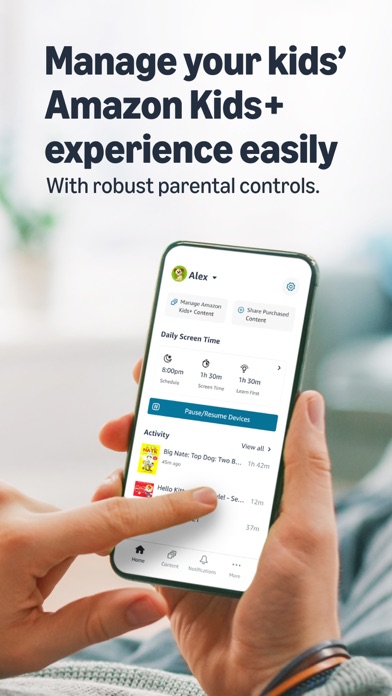
…mobile devices. An Amazon Kids+ subscription is not required to use the free parental tools. Easily adjust whenever & wherever • Adjust parental controls from the convenience of your phone without interrupting your child’s experience. • Pause/resume your kids' access to their device even if your kids aren’t near you. Featured parental controls • Time limits: set time limits for a child’s total screen time for the day or the use of certain types of content. Or, set a time when your child's devices turn off at night and how long they stay off. • Learn first: prioritize books and learning apps before kids focus on entertainment content. • Child activity: review your child’s use of particular types of content, or see specific titles to learn more about what each child is enjoying. • Manage your child's content: block specific Amazon Kids+ titles, add content from your Amazon library, or… More about Amazon Kids Parent Dashboard
see also: Apps like Amazon Kids Parent Dashboard
 Entertainment